Thumbnail Editor

Create thumbnails that stand out before anyone clicks

A great thumbnail is often the difference between a video being noticed or ignored. It needs to be clear, expressive, and competitive at a glance.

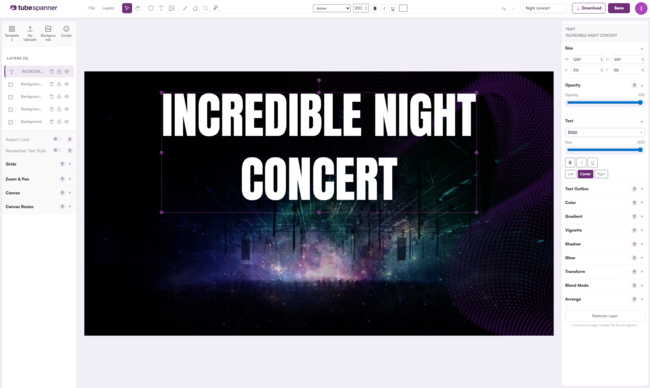
TubeSpanner’s Thumbnail Editor gives creators a powerful, flexible way to design thumbnails that stand out in real YouTube contexts, without relying on guesswork or copying.

TubeSpanner Thumbnail

Heading
Why thumbnails deserve more attention

Body

Thumbnails are one of the first things viewers see, and they compete against dozens of others at the same time.

Even strong videos can struggle if the thumbnail does not communicate clearly or stand out in search and browse. Designing thumbnails well is less about decoration and more about clarity, contrast, and intent.

Heading
One editor, multiple ways to start

Body

The Thumbnail Editor is built around creation, but not everyone starts from the same place.

Whether you want complete freedom, a proven layout, or inspiration from what is already working, the editor adapts to how you prefer to work.

TubeSpanner Thumbnail Editor Templates
Comparison table

Different starting points, the same creative control

Blank canvas and templates Inspiration and Homerun
Start from a completely empty canvas Start from a high-performing thumbnail
Use professional design templates Generate layers automatically
Edit every layer and effect Adapt proven structures without copying
Ideal for custom or repeatable styles Focus on what already stands out

Heading
Templates that do not lock you in

Body

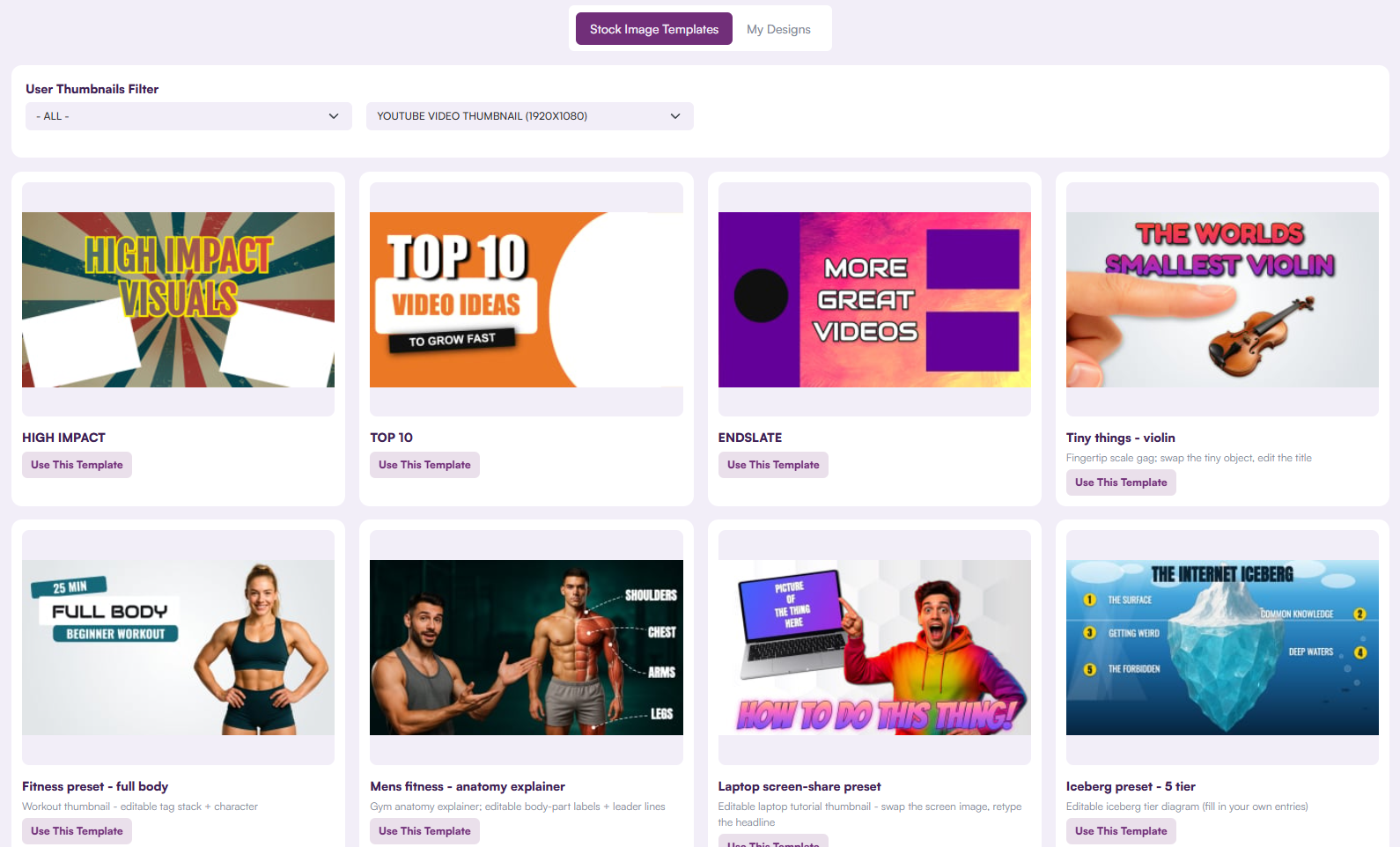
TubeSpanner includes hundreds of professionally designed templates to help you get started quickly.

Templates load with backgrounds, text, effects, and composition rules already in place, but nothing is fixed. Every layer can be edited, removed, or replaced to match your channel and style.

Heading
Create from inspiration without copying

Body

When starting from another YouTube video, the editor can generate layers based on the structure and composition of the original thumbnail.

This gives you a strong starting point while keeping the final result original. Instead of copying someone else’s thumbnail, you adapt what works and make it your own.

Note

Image
Note

Title
Your face, your expressions

Body

When generating reactions or expressions, the editor uses images of you that you have provided. This keeps thumbnails authentic and avoids using generic or copied faces.

Heading
Advanced controls without complexity

Body

The Thumbnail Editor includes a wide range of creative tools designed to stay out of your way.

You can generate and manage layers, control colours precisely, apply text effects, mix visual effects, adjust perspective, add bokeh and vignettes, and experiment freely without committing too early.

Heading
Designed to help you judge, not guess

Body

Rather than predicting performance, the editor helps you make better visual decisions.

You can preview thumbnails in realistic search and browse layouts, placed randomly among other videos, to see how they stand out in real competition.

Tip

Image
Tip

Title
See it in context

Body

A thumbnail can look good on its own, but disappear in a crowded feed. Previewing in search and browse helps you spot problems before publishing.

Heading
Built to support testing workflows

Body

While the Thumbnail Editor does not run experiments itself, it is designed to support A and B testing workflows.

You can create multiple thumbnail variants, export them, and use them in tests to compare performance over time.

Heading
Connected to Homerun when performance matters

Body

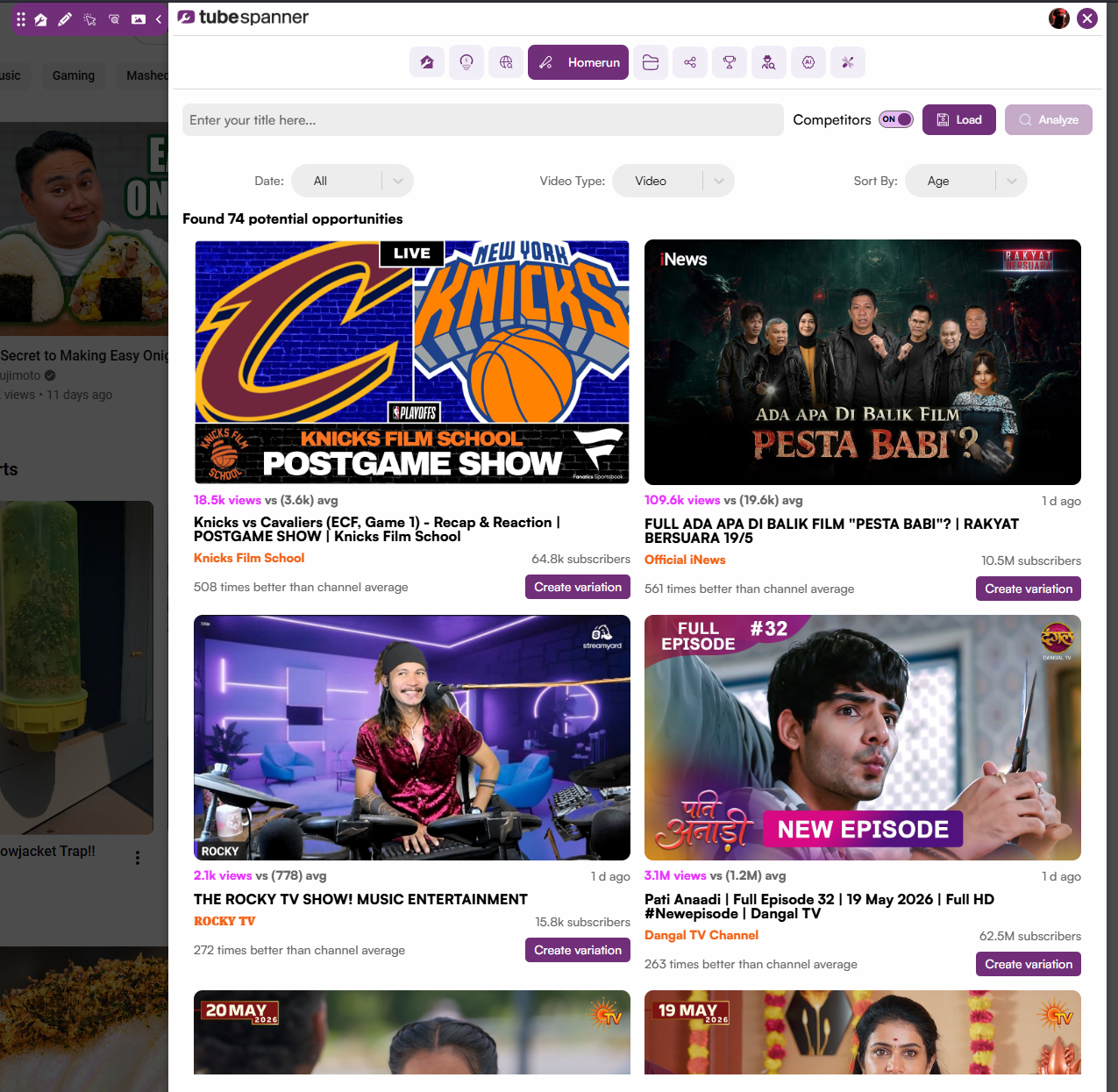
When a thumbnail is identified as an outlier through the Homerun tool, the editor becomes a natural next step.

This allows you to recreate, adapt, and iterate on styles that are already working, without relying on assumptions or trends alone.

TubeSpanner Homerun

Heading
Who this is for?

Bullets Multi
  • Creators who want full design control

  • Channels focused on improving click-through rate

  • Anyone iterating on thumbnails over time

  • Teams managing multiple visual styles

Title
Ready to design thumbnails that compete?
Body

Create, adapt, and test thumbnails that stand out where it matters most.

Custom block