
Grow on YouTube Using TubeSpanner

Grow on YouTube through the TubeSpanner workflow.

This is a highlight of TubeSpanner's livestream that teaches YouTube growth strategies, video optimization, and analytics-driven decisions.

Grow on YouTube with TubeSpanner
Ike

Heading
Come up with video ideas for your target viewers.

Body

One of the first step in your creative process is video ideas. Now, there are some of you who have an infinite well of ideas in your head, so you could skip this if you don't need it. However, there are many creators who might need a little inspiration to get their gears moving.

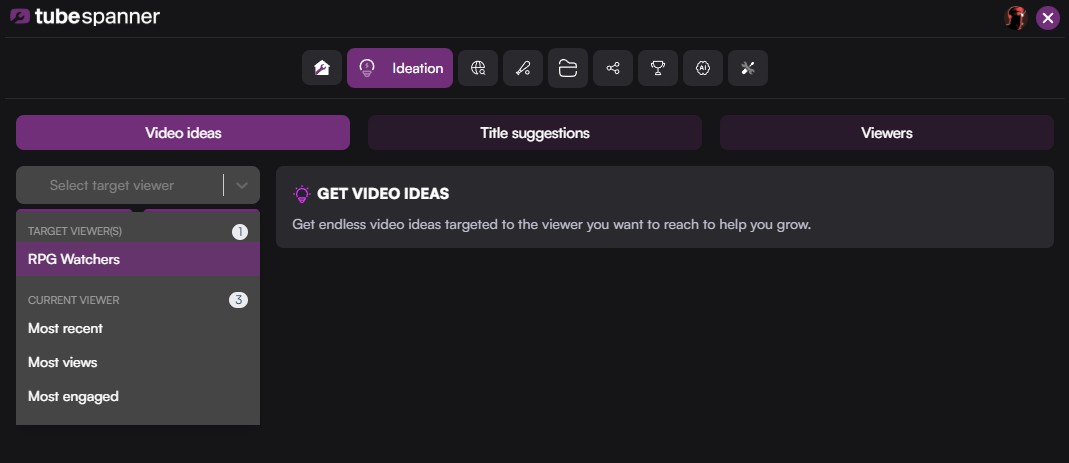
With TubeSpanner's Ideation tool, the very first thing you'll see is "Video ideas." You can find it through the browser extension.
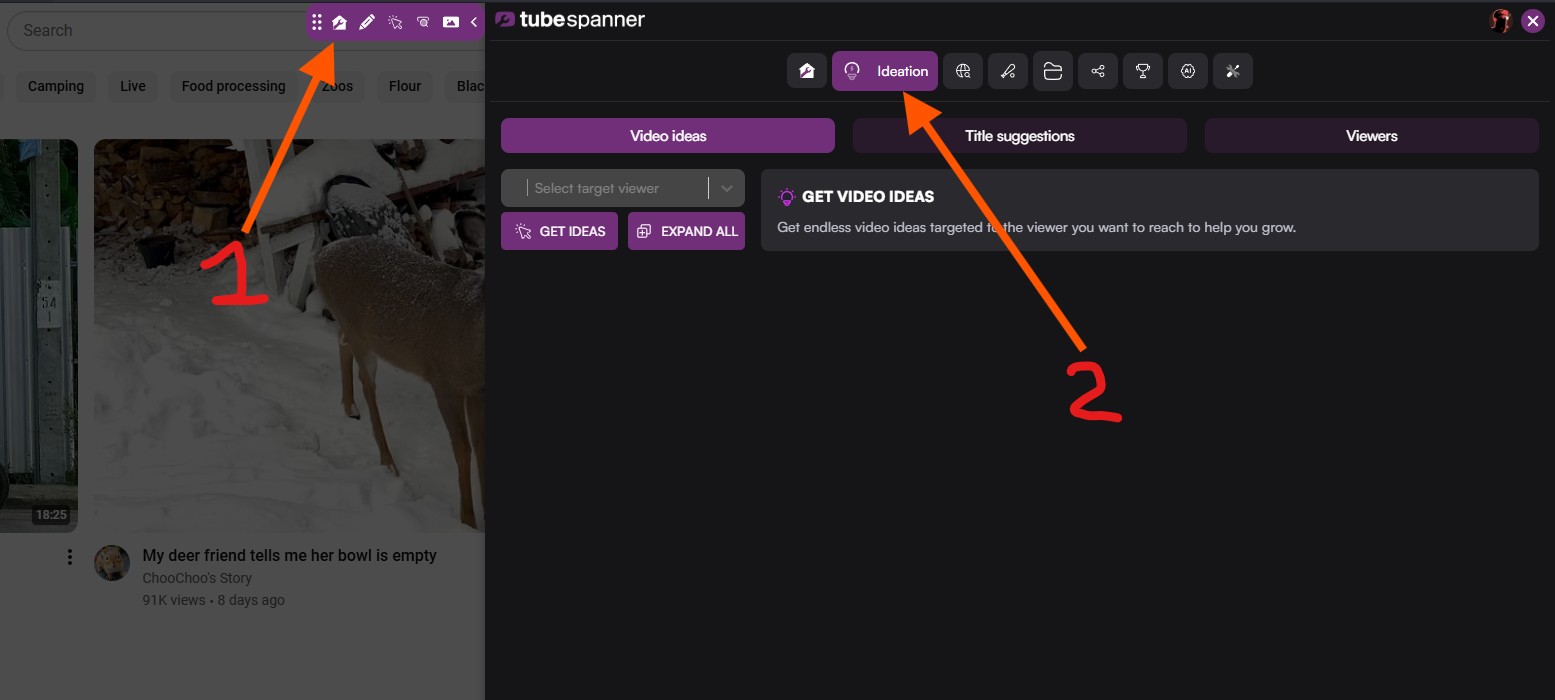
TubeSpanner Ideation Video Ideas

Unlike other tools that gives you generic ideas, TubeSpanner is connected to your channel, your audience, and will make recommendations based on the content you put out and the people who watch your channel.

Or, more importantly... the people who you want to watch your channel.
Heading
Your current audience may not be who you want to target.

Body

Your current audience could be into gardening, but you really want to sell televisions.

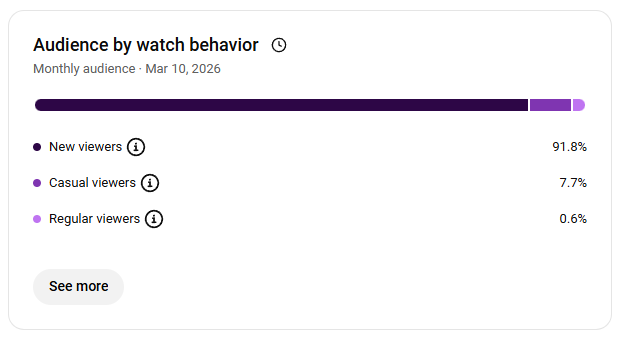
From what Andrew Kan said during the livestream: "The community you have, these are people who are currently watching you. They have bought in, but your audience is people who have not seen your content yet. Which is why, even in YouTube, they have started segmenting viewer types to New, Casual, and Returning."

Audience by watch behavior

In the free version of TubeSpanner, you'll get the "Current Viewer" under your "Select target viewer" bar. With the paid plans, which you can get a free trial for, you can try and make custom avatars.

No need to rush to try out the free trial. When you're starting out, the idea of "avatar" might be a little much to take on. So you can keep to your current audience. Once you know what you're doing, then you can really start to target the people who you want to watch your content. 

And this can be based on metrics who perhaps they've got some disposable income because you want to sell a course, or a different age group, etc.

TubeSpanner select target viewer

Note

Image
Note

Title
You don't have to wait for TubeSpanner to load!

Body

TubeSpanner now works in the background. Whenever you're generating new ideas, you don't have to wait on this page. You can click on another tab and do something else.

Heading
So you've got video ideas... what's next?

Body

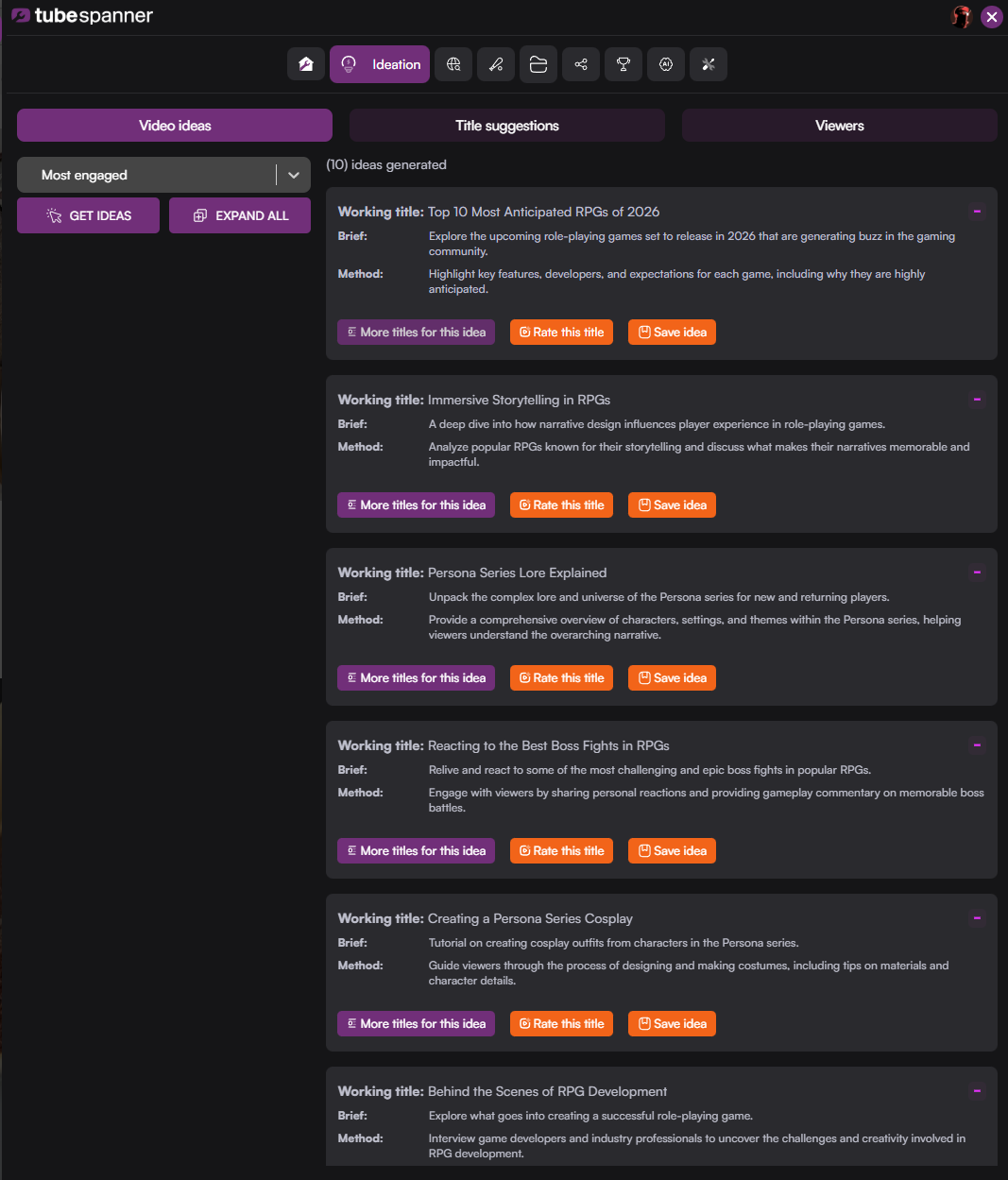
TubeSpanner will generate 10 video ideas at a time, but you can always generate more if you're looking for more.

TubeSpanner Video Ideas

These video ideas will give you a working title, a brief explanation of what the video's about, and how you should go about the video. If one catches your fancy, consider saving it by clicking on "Save idea" and it'll be saved to your Projects tab.

Or perhaps you want more titles for the idea, to which, clicking on "More title for this idea" will take you to the "Title suggestions" tab. This is our next destination.

Heading
Different spins on the idea.

Body

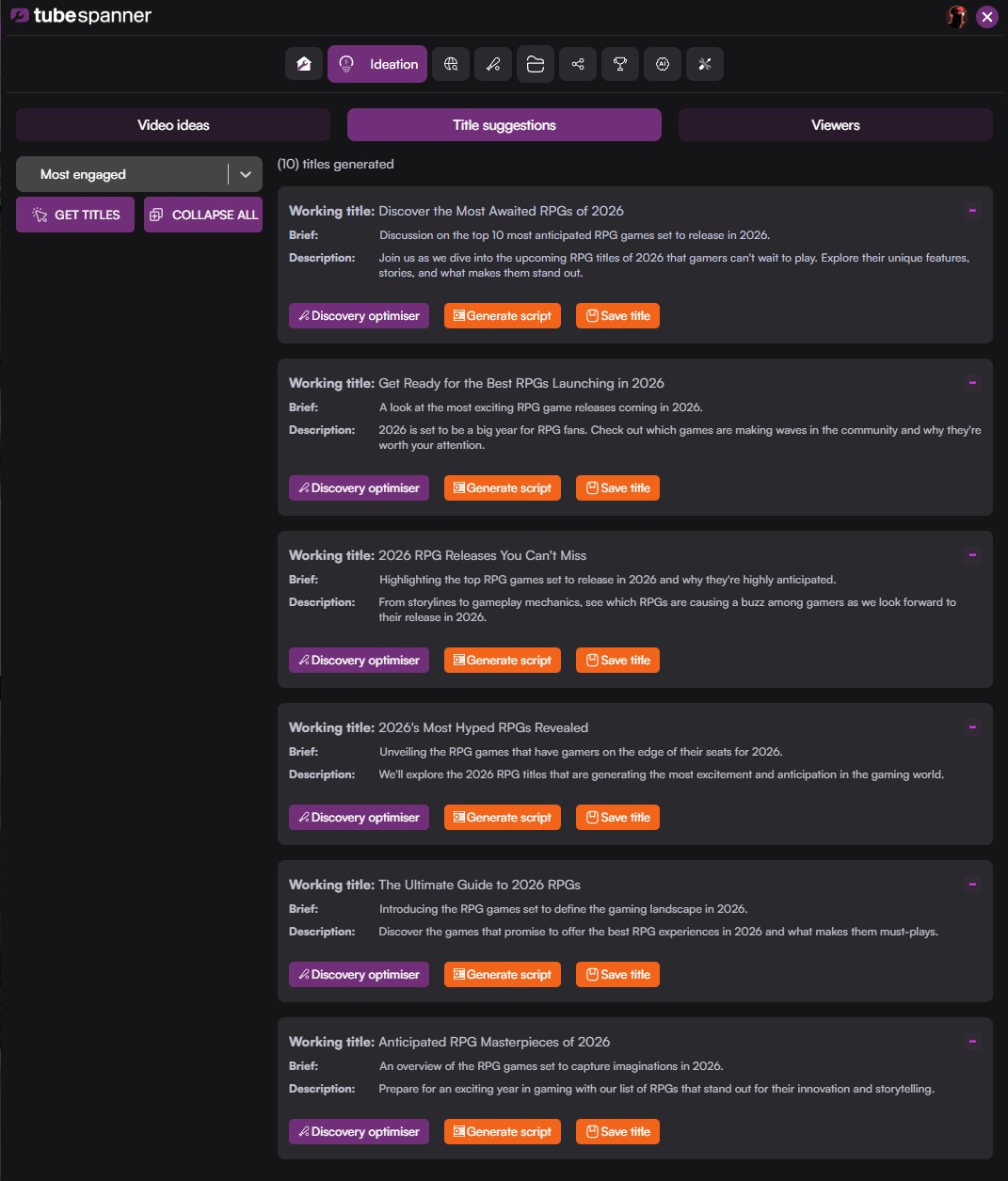
Title Suggestions might look similar to Video Ideas, but these are all titles based on the previous idea you've selected.

TubeSpanner Title suggestions

Find a title that you like? Consider saving it to your project or put it through the ringer with Discovery Optimizer.

Warning

Image
Warning

Title
An idea should not be your title.

Body

A lot of people tend to take an idea from a tool and just make that the title, but that title still needs to be refined. This is where TubeSpanner's Discovery tools comes in.

Heading
Discovery will show you whether your title is good for browse or search.

Body

Discovery is a suite of tools that covers two main ways YouTube will promote or get content in front of viewers. 

That's why Discovery is separated into two tabs, the Discovery Optimizer and the Search Explorer. The strategies you'll need to employ are slightly different on whether you have:

  • Content that's trending
  • Something people will stumble upon (discovery)
  • A targeted content made for business owners (search)

A lot of new creators might not be thinking about this, but the way you set up content for search is very different to setting up content for a big hook (to reel somebody in from the discovery page).

Think about how you use YouTube. If you want a tutorial on hanging a kitchen door, you'd search up that specific term. Or sometimes, you might turn on YouTube TB and click on whatever is on your home page. 

Two very different ways of finding content on YouTube. Two tools right here to help you optimize for whichever you prefer (or even a bit of both).

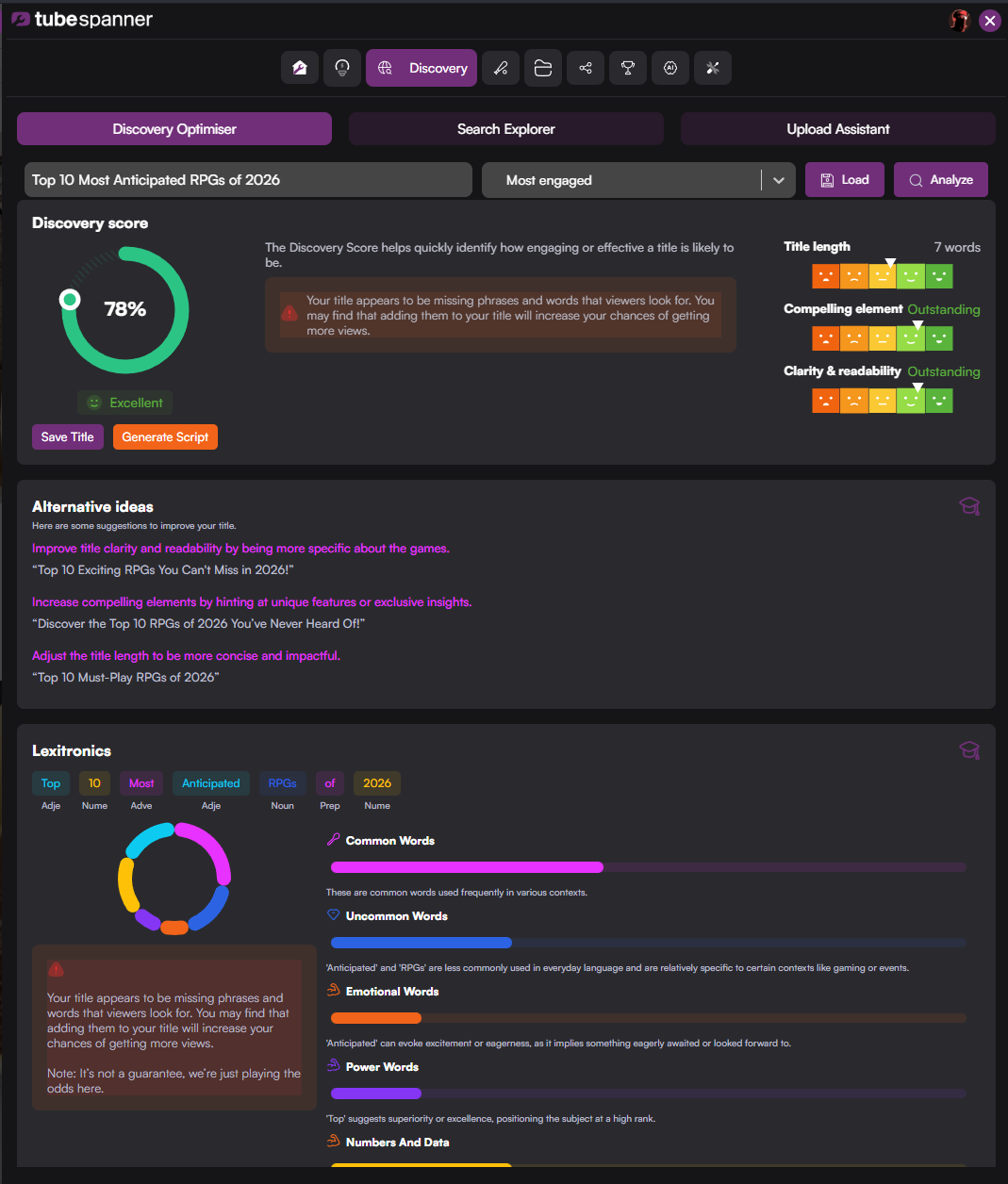
TubeSpanner Discovery Optimizer

Heading
Your flow, your way.

Body

People sign up to TubeSpanner just to use the Discovery tool. They aren't going into Ideation. They aren't even going to title ideas. They just come straight to Discovery.

Why? Because once you become more experienced, then you've already got your ideas. You've planned your videos for the next twelve months, so you all you need is to go through your refinement phase.

That's absolutely fine. It's your workflow, so you should do it however you want.

Heading
See how your title stack up against different audiences.

Body

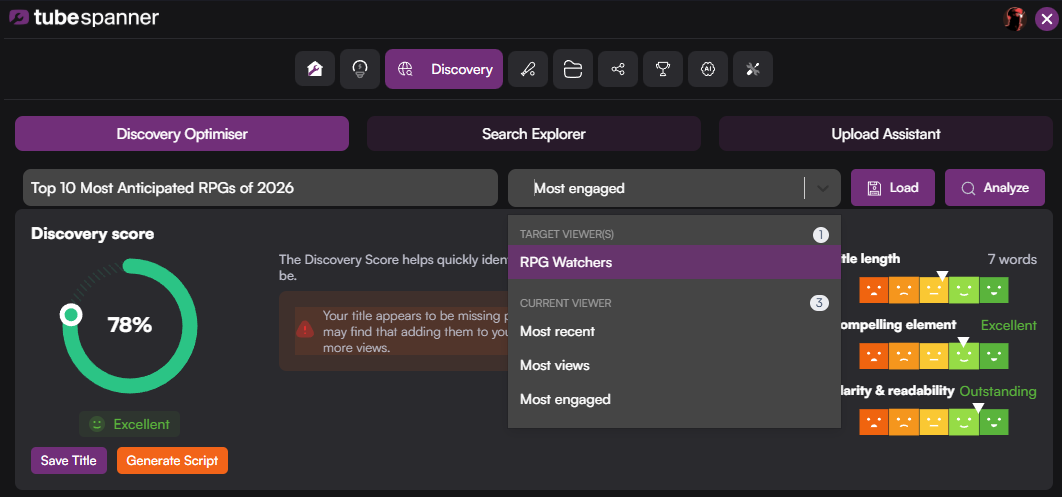
The same way you use your Ideation tool by selecting your current or targeted audience, you can do the same with Discovery.

Some titles might do better with your most engaged audience, but flop with your most recent.

TubeSpanner Discovery Optimizer Viewer

Example:

If you're selling a product, you may have a target viewer that has disposable income and might be your buying audience. So you can set that up and Discover will start to target titles which will engage with that type of viewers. 

This will help you fine-tune and get the perfect title.

KEEP THIS IN MIND: Although TubeSpanner allows you to have multiple audiences, it doesn't mean you should. If you have too many different types of people, then you're going to start disconnecting from some of your audience.

Heading
Is TubeSpanner the most vital before or after posting a video?

Body

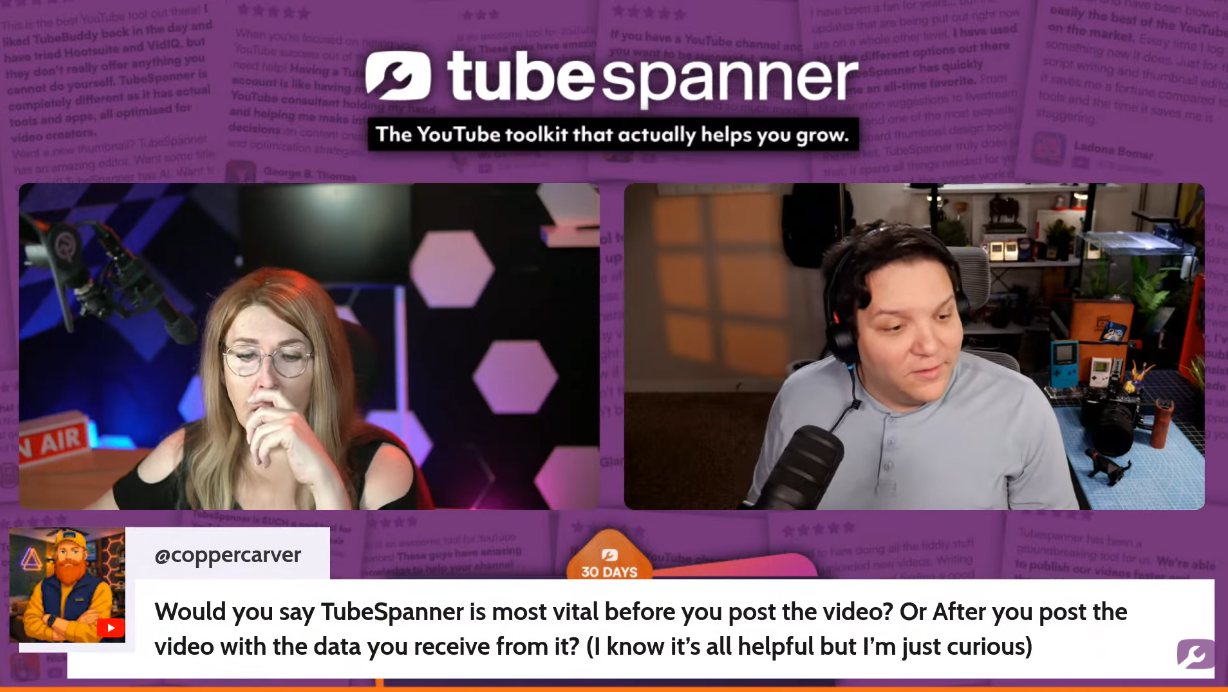
This was a great question asked by CopperCarver during the livestream between Danielle (CEO of TubeSpanner) and Andrew Kan. 

Here's the answer from Andrew:

"A lot of times, people make this massive mistake. If you're using any YouTube tool, do not fall victim to this. These tools help you plan and create the content. It's like building a house. If I build a house without a blueprint, it may work, but more likely than not, it will fall apart. 

It's also like baking. When baking, you can really change the cake once it's completed. I can't add ingredients to it once it's done. I can decorate it and make the outside look good, but what's baked in is already there. It's way more effective to do it beforehand than to try to fix it after the fact."

TubeSpanner livestream

Heading
The secret sauce of Discovery

Body

If you're just rushing through Discovery, only look for a score and being satisfied with that... that's fine. It's what TubeSpanner recommends you do. But here is what's all done before you do that.

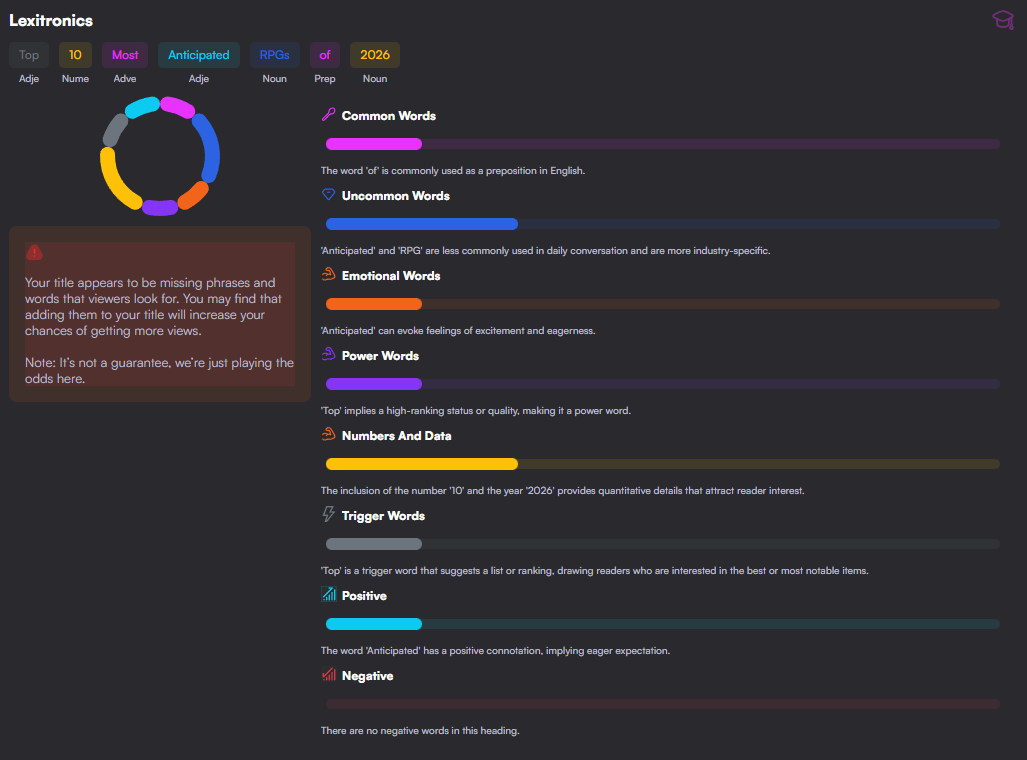
If you want to know exactly why your title might hook and engage viewers, check out the Lexitronics.

TubeSpanne lexitronics

Just by having this open and reviewing this every so often will get you thinking about the structure of a YouTube title. Your compelling element, your sort of urgency, your who, your why, your what. And you'll quickly start putting together 6 - 10 words that just say everything they need to hook somebody in.

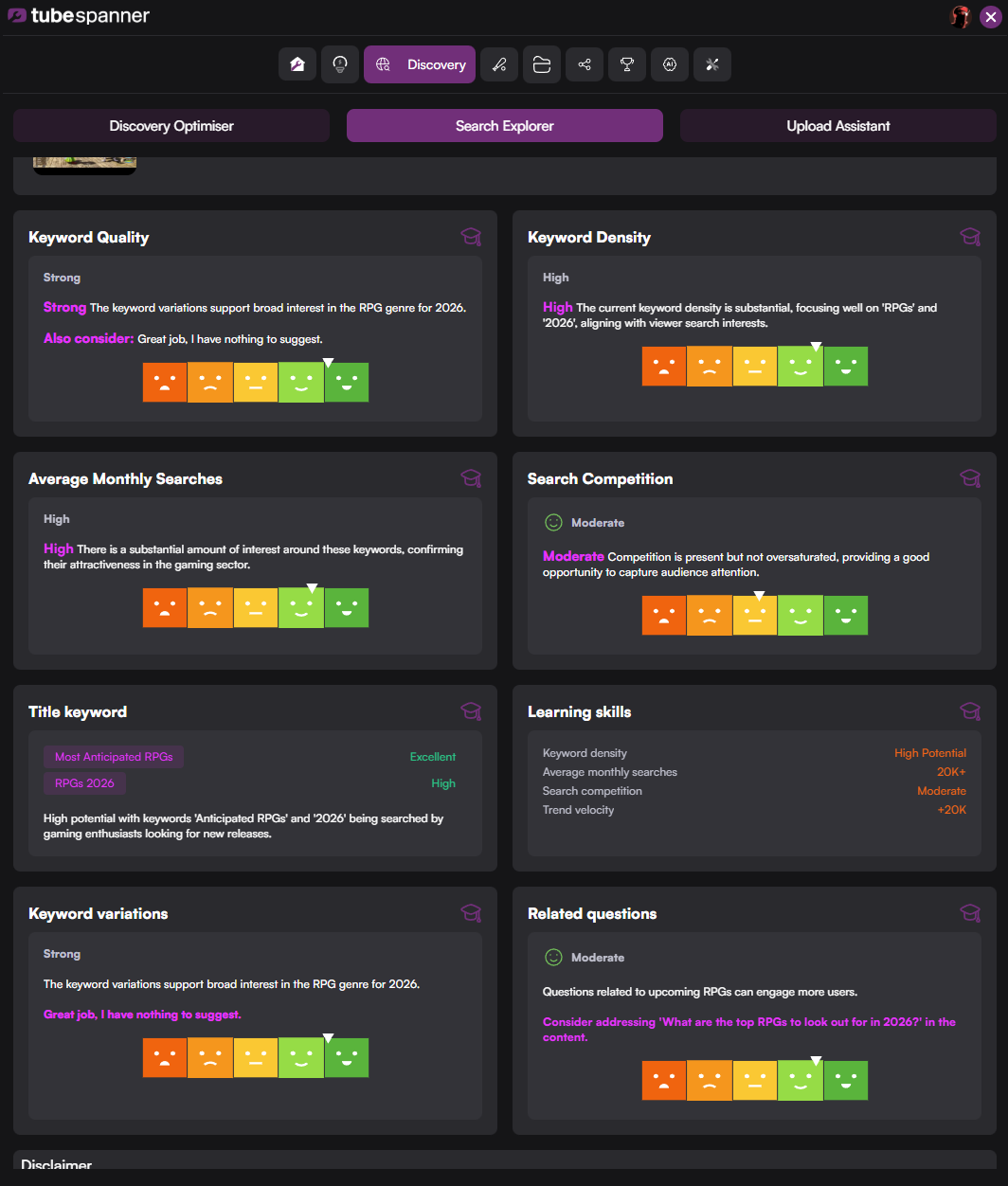
But there's more to learn with Discovery. For this one, you'll have to head into the Search Explorer tab. 

Note that the score for you title will be different in Discovery Optimizer and Search Explorer because they're looking into two different things.

TubeSpanner Search Explorer

TubeSpanner will look at your title's keyword quality, density, the average monthly searches, search competition, and many more.

A tip from Danielle (CEO of TubeSpanner) is that if you see the arrows getting in the oranges and yellows, it means it needs more work. If you see the arrows in the greens, move on.

Note

Image
Note

Title
"Search is dead."

Body

Some people say that search (i.e. SEO) is dead. That's far from the truth because YouTube has said it's more alive than ever. So don't count out search!

Heading
For the trend chasers... a Homerun.

Body

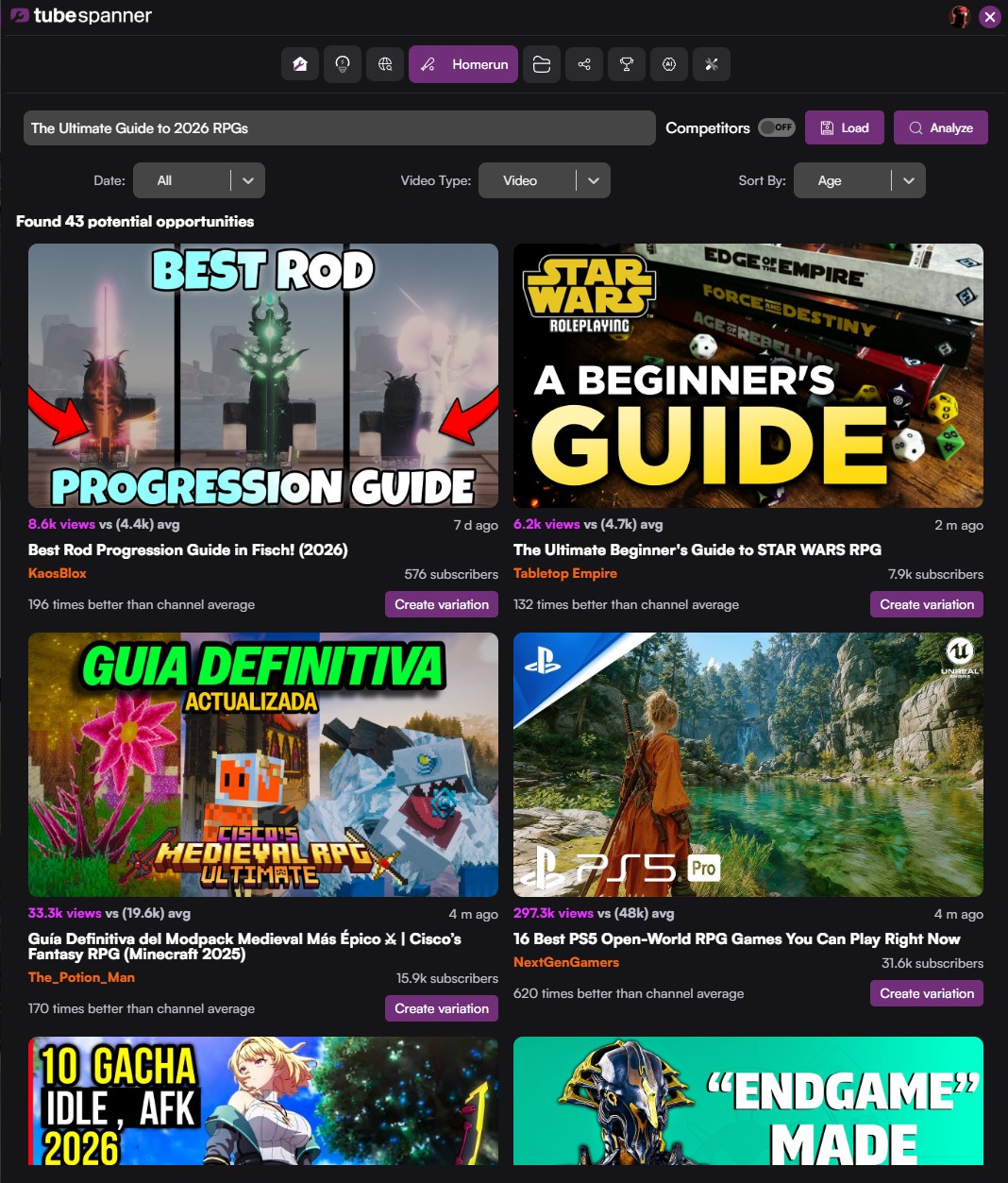
As mentioned before, there are different strategies when it comes to being found on YouTube. We've shown you Search and Discover, and now... this one's for those looking to hit a Homerun.

TubeSpanner Homerun

How Homerun works is that it looks at the channel's average amount of views and points to a video that's gotten them more than average. In the example picture above, you'll see that some of these channels average from 5k views to 50k views. The videos Homerun pulls up shows that it's 100x better than the channel average.

It'll also show how long the video's been out, so you'll know if it's fresh or not.

If you've been using the Ideation or Discovery tool, you'll notice that the title will automatically be added to Homerun when you switch to it. Feel free to use other titles to discover what's trending.

You'll also notice that there's a "Competitors" toggle, which will only work if you actually have added competitors. If not, toggle it off.

Warning

Image
Warning

Title
Homerun is in beta!

Body

This means there might be incorrect stats or wrong videos being pulled up. If you spot any issues with the tool, please report them to [email protected].