


If I got a lot of ideas, which one should I pick first?
This depends on where you want to take your channel. Do you want to grow your channel, or do you want to have fun?
If you want to have fun, then choose the idea that you want to do the most. You'll be maximizing fun and running your channel as a hobby, so don't get too worked up about not growing.
But if you want to grow your channel, then take your ideas and put them into TubeSpanner.
When you first log into the TubeSpanner dashboard, you'll be given the option to set your channel objective. If you've already done this, you can find this under the Plan tab.
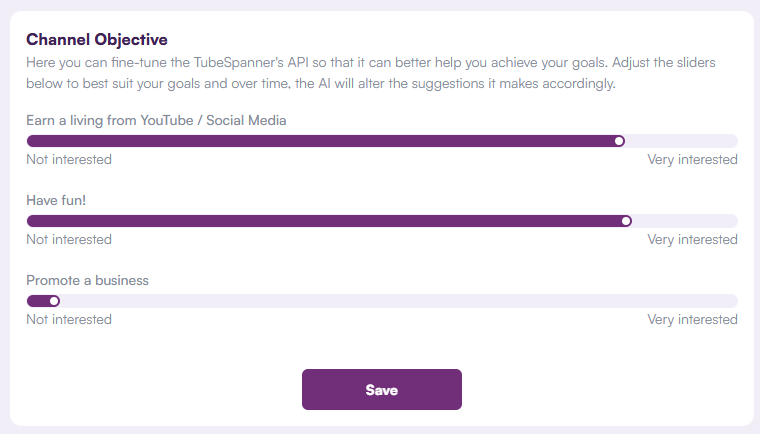
Set it to however you like, and TubeSpanner will adjust based on your need. Then it's time to create your Target Viewer (aka Avatar). This will also be under the Plan tab.
Click here for more detail on how to make TubeSpanner work for you.
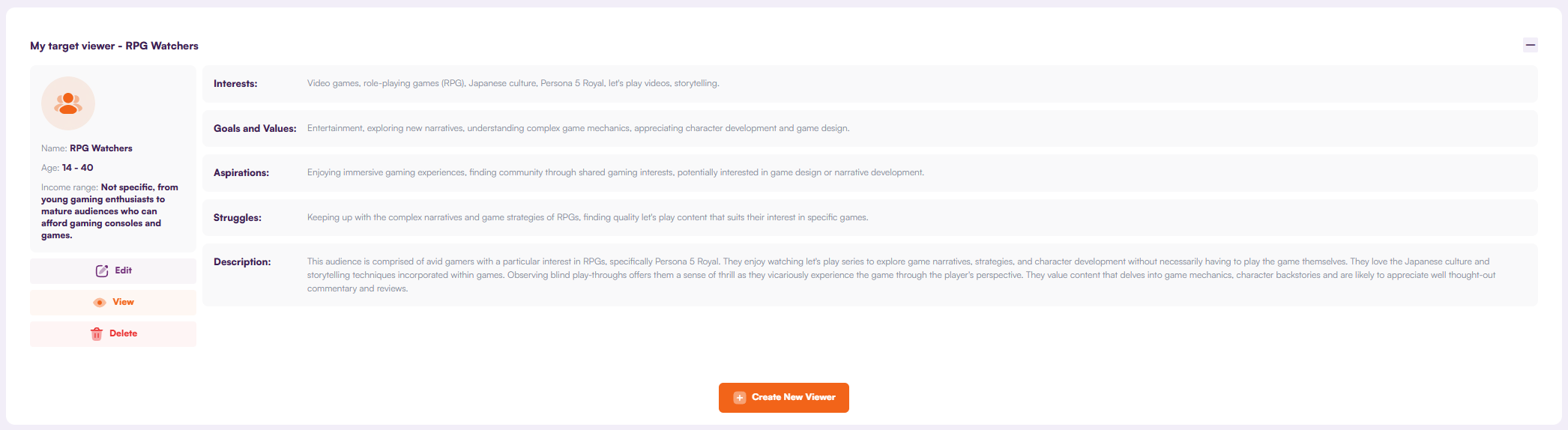
With all of this done, head over to TubeSpanner's Ideation tool and get video ideas curated to your target viewer.
Remember: Not every idea is worth pursuing. Like a box full of unused goods, creators have a box full of unused ideas. Not every idea is good, and sometimes you just gotta let it go.
How do you know you actually have an audience instead of random people coming in?
One easy surface way for you to figure this out is to see if the same viewer is making comments. If you're livestreaming, are you seeing the same people saying hi and sticking around?
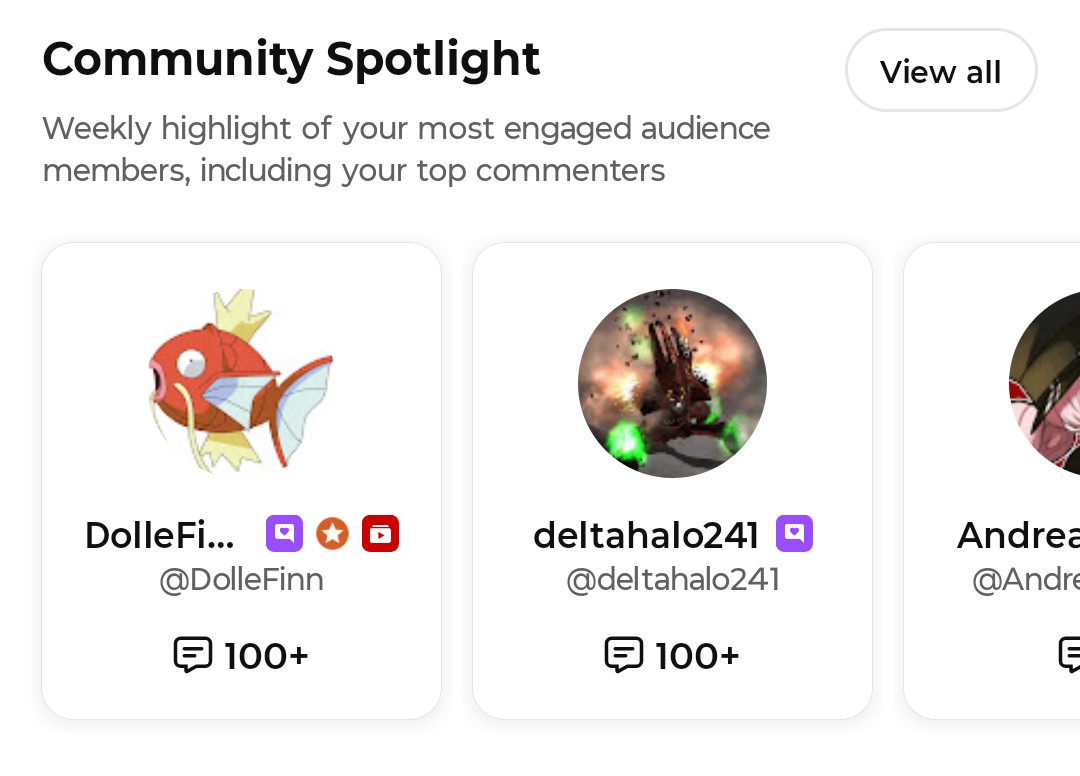
Another way to check is in your YouTube Studio mobile app under the Community tab. If there are enough comments, you'll see the Community Spotlight section that'll highlight the people in your community.
Now, if you want to deep dive even further, let's head to the analytics. Go to YouTube Studio (mobile or desktop) and click on the Audience tab. Look for this block:
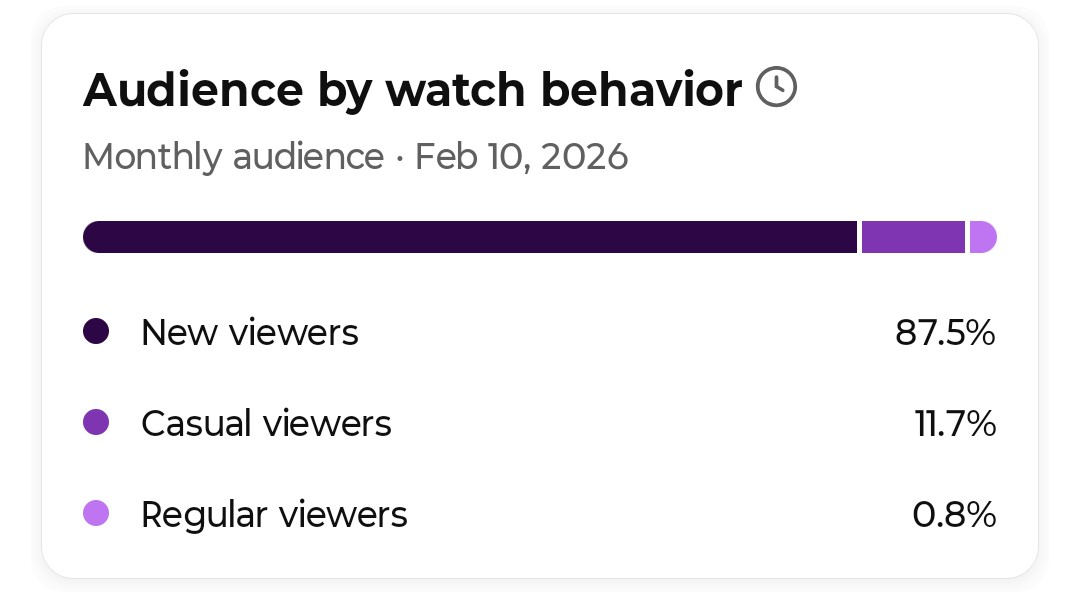
YouTube categorizes your viewers into three: New, Casual, and Regular.
- New = Viewers who just started watching
- Casual = Viewers who've been watching for about 6 months
- Regular = Viewers who've been watching for more than 6 months
This next step you'll need to be on the desktop, but this is for if you want to take it even further.
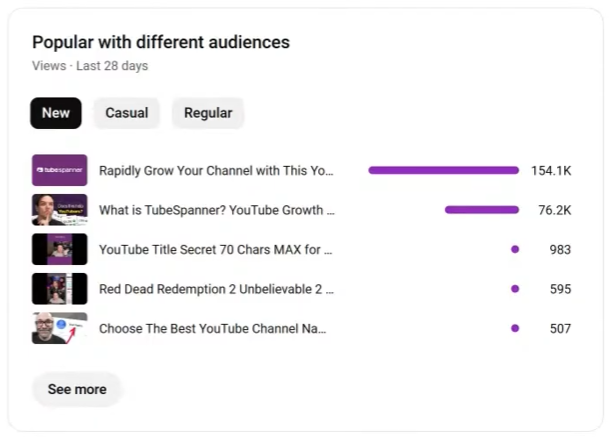
YouTube tells you what your different audiences are watching, and for TubeSpanner, new viewers are more prone to watching the "What is TubeSpanner?" while regular viewers are more prone to watching the livestreams.
NOTE: If you're just starting, it's OKAY that you only have new viewers.
How do you balance who you are as a person vs what your audience is interested in?
First thing you have to understand is that an audience come to watch what they want, not for you... at first.
For example, when you go into a restaurant, you're there for the food. You're not there for the story of the restaurant or its owner. Not yet, anyways.
Most restaurants understand that, and they'd have the story on the back of the menu. While bigger and more well-known restaurants are more prominent on the placement of their story.
You'd come for one thing, and if you like it, you'll come back. When you've become a regular, you might take a gander at the restaurant's story.
Keep this analogy in mind.
When it comes to YouTube (and life in general), you need to give something in order to get something. If you're a tech review channel, you need to give the audience what they want... tech reviews.
However, this doesn't mean you need to take yourself out of the video. Add bits and pieces of your story. Not too much that it impedes the pacing of the video. Just enough for the new viewers who would eventually become a regular.
Example: You're talking about organizing cables and you make a mention about how your cat would get entangled in your cables before you cleaned and organized the cables.
There are so many TubeSpanner tools... how are we supposed to learn them all?
It's true. TubeSpanner has A LOT of tools. In fact, TubeSpanner has deleted over 50 tools simply because it's become redundant or it was bad or too AI locked.
If you need a quick recommendation: Try out the HomeRun tool, which can be used in the TubeSpanner dashboard or in the browser extension.
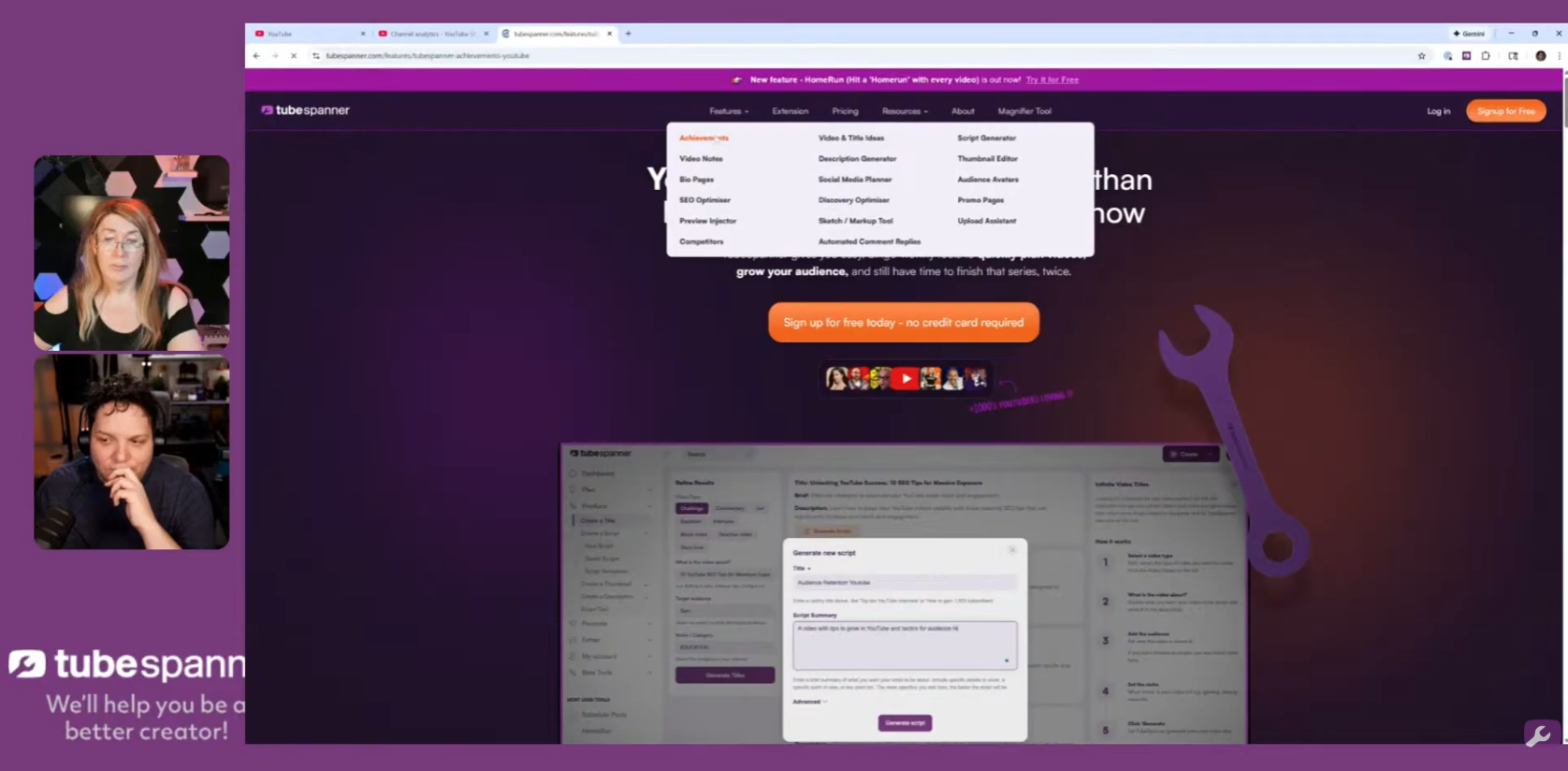
For more information on each individual tools, Danielle (CEO of TubeSpanner) has created a whole slew of features page for you to browse through to get an understanding of each tool that TubeSpanner has!
You can find it in the TubeSpanner home page under the Features tab.
Watch the replay here: These YouTube Answers can help you ACTUALLY grow your YouTube Channel!