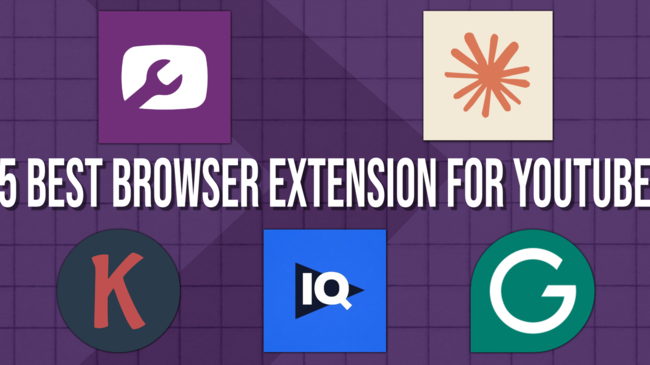

5 Best Browser Extensions to Grow Your YouTube Channel

The right browser extensions turn YouTube into a smarter place to work.

Most of the work that shapes whether a video performs happens outside the edit: topic selection, scripting, thumbnails, SEO. Browser extensions handle that work inside the tabs you already have open. This list covers five that creators are actually using, what each one does well, and where they fit together.

5 best browser extension for youtube
Vicki

Heading
Your Browser Is Already Part of Your YouTube Workflow

Body

If you're a YouTube creator looking to ship better videos faster, get smarter SEO data, and stay sharp without bouncing between five tabs and a notebook, your browser is where most of that work actually happens. The right Chrome extensions sit quietly inside YouTube and turn it into a smarter workspace.

This is a list of five browser extensions creators are using right now to plan, write, optimize, and publish better videos. They're not ranked. They're a stack you can run together, and most of them have a free tier so you can install them today and see what they actually do for your channel.


 

Heading
TubeSpanner

Body
tubespanner logo

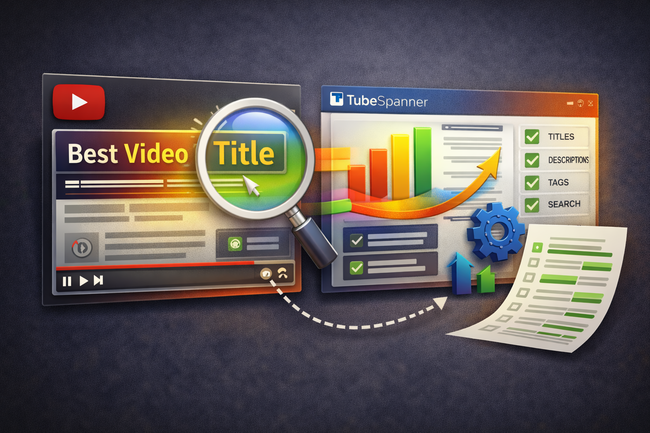
TubeSpanner is an all-in-one toolkit for YouTube creators that runs as a browser extension and a web app. It's built for the parts of the job that aren't filming: scripting, thumbnails, titles, scheduling, and analytics. The extension's standout feature is the thumbnail injector, which drops your draft thumbnail into a real YouTube search results page so you can see how it actually competes against the other videos a viewer would see before they ever click.

Why it stands out:

  • Thumbnail injector lets you preview your design inside live YouTube search results before you publish
  • AI script generator with a "Hold & Modify" feature, so the AI keeps the lines you wrote and only rewrites what you ask it to
  • Connects to your actual channel, so suggestions are based on your audience and your content history, not generic YouTube advice
  • Includes thumbnail testing, social scheduling, an upload assistant, and analytics in one tool
  • Free to install, no credit card required

Install: TubeSpanner on the Chrome Web Store

Heading
Claude

Body
Claude logo

Claude is Anthropic's AI assistant, and the Chrome extension lets it read and act on the page you're looking at. For creators that means you can open a competitor's video and ask Claude to break down what their hook is doing, paste in your draft description and have it tightened, or sit it next to your YouTube Studio analytics and ask which videos are most worth a follow-up. It's a research and writing partner that lives in the same window you already work in.

Why it stands out:

  • Reads any page you're on and answers questions about it without copy-paste
  • Useful for fast competitor research, summarizing long videos, and stress-testing your own titles and thumbnails
  • Can run multi-step browser tasks like pulling notes from a row of YouTube tabs at once
  • Available on all paid Claude plans, with a model picker on Max plans for heavier reasoning
  • Beta product, so expect occasional rough edges as it improves

Install: Claude in the Chrome Web Store

Heading
Grammarly

Body
grammarly logo

Grammarly is the writing assistant most creators already know, and it's still one of the most useful extensions you can run if you write your own video descriptions, community posts, or end screens. It catches the obvious typos, but the more useful work is on tone. Grammarly flags when your description reads colder than you meant it to, or when your community post is buried under filler the reader doesn't need.

Why it stands out:

  • Works inside YouTube Studio, your CMS, your email, and basically every text field you'll touch
  • Tone suggestions help your descriptions and community posts sound like you, not like a press release
  • Free tier is enough for most creators; paid plans add rewriting and clarity tools
  • Catches the small mistakes that make a description feel sloppy, which matters more than most creators admit
  • Quietly improves every piece of writing you do, not just the video stuff

Install: Grammarly on the Chrome Web Store

Heading
Keywords Everywhere

Body
Keywords Everywhere logo

Keywords Everywhere is a keyword research extension that drops search volume, CPC, and competition data right inside the page you're already on. For YouTube specifically it shows search volume on YouTube's own results, the most-used tags from top-ranking videos, and related queries pulled from real Google data. It's a credit-based tool, so you pay for what you use rather than a flat monthly subscription, which makes it friendly for creators who only need it during planning sessions.

Why it stands out:

  • Shows YouTube search volume directly inside YouTube search, no separate dashboard to open
  • Pulls related keywords, "People Also Search For" data, and 12-month trend lines for any term
  • Credit pricing means a few dollars goes a long way for occasional research sessions
  • Works across Google, YouTube, Amazon, and Etsy with the same install
  • Useful for both video topic validation and broader content planning

Install: Keywords Everywhere on the Chrome Web Store

Heading
VidIQ

Body
VidIQ logo

VidIQ is a YouTube optimization extension built for creators who want competitor data and SEO scores baked into every page they look at. Inside YouTube Studio it suggests tags, scores your titles and descriptions, and shows you how your channel is tracking over time. Inside any video page it shows views per hour, engagement rate, and the keywords the video is ranking for, which is genuinely useful when you're trying to reverse-engineer what's working in your niche.

Why it stands out:

  • Real-time SEO scoring as you write titles, descriptions, and tags
  • Competitor tracking so you can see what's working in your niche right now
  • Keyword research tool with YouTube-specific volume data
  • Free tier covers the basics; the Boost plan adds AI title and description suggestions
  • Over 20 million installs, which means it's the extension most creators in your niche probably already have

Install: VidIQ Vision on the Chrome Web Store

Heading
Final Thoughts

Body

Most of the work that actually grows a channel happens before you hit upload. Better topic selection, better writing, better thumbnails, better SEO. These five browser extensions cover all four, and they're all free to install.

Pick one, install it today, and use it on your next upload. If you're new to all of this, install TubeSpanner first. It covers the most ground and runs alongside the rest of the list without conflict.

Want to see how TubeSpanner fits into your workflow? Try the TubeSpanner extension for free, no credit card required.