
How to Write a YouTube Script 10x Faster Without Losing Your Personality

Stop Staring at the Blank Script Page

You are ready to make a YouTube video, you sit down to write your script. Open a blank document, and then… stare at it.

Sound familiar?

For most creators, scripting is the part of the process that takes the longest, causes the most frustration, and is most likely to delay a video going out at all. The idea is there. The energy to film is there, but the blank page has a way of absorbing both of those things until neither one remains.

The good news is that the problem is not your creativity. It is your process, and a better process fixes it completely.

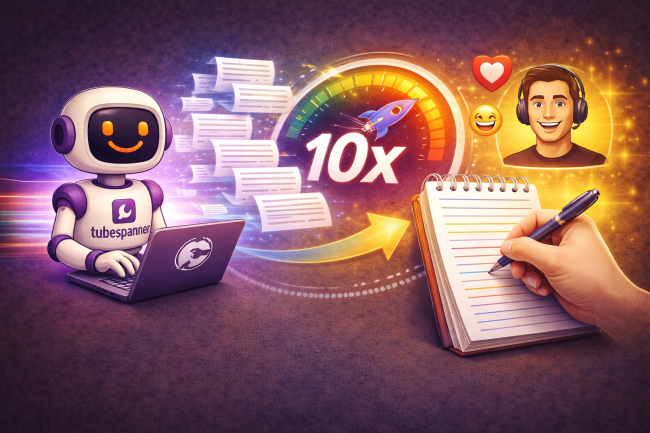
Illustration showing the TubeSpanner “Spanners” robot typing on a laptop while pages of script flow toward a notepad where a hand is writing, with a glowing speed gauge and upward arrow symbolising faster YouTube scriptwriting while keeping the creator’s personality.
Vicki

Heading
Why Scripting Takes So Long (And Why That's a Workflow Problem, Not a Talent Problem)

Body

Most creators approach scripting the same way every time. They sit down cold, try to translate a vague idea in their head into structured sentences on a page, and then spend the next hour rewriting the same opening paragraph because it never sounds quite right.

The issue is that there is no starting point. Without structure, without a template, without a prompt to react to, the brain has nowhere to begin. Every word has to be invented from nothing, and that is exhausting in a way that has nothing to do with whether you actually know what you want to say.

The other trap is perfectionism. Many creators rewrite sentences over and over, trying to make their script sound exactly like their natural speaking voice, which is ironic because natural speaking voices are not written, they are spoken. No amount of rewriting a sentence on a page will make it sound the way it would if you had just pressed record and talked.

What creators actually need is a starting point they can react to, a structure they can build on, and the flexibility to keep what works and change what doesn't. That is exactly what TubeSpanner's script tools are built around.

Heading
How TubeSpanner's AI Script Generator Works

Body

TubeSpanner's script generator is not a generic AI writing tool that produces the same output for everyone. It is built specifically for YouTube and, more importantly, it is built around your channel specifically.

When you use it, TubeSpanner draws on your channel information, your niche, your audience targeting, and your previous content to generate a script that reflects your goals and your style rather than producing something that sounds like it could belong to anyone.

Heading
What the Script Generator Handles for You

Bullets Multi
  • Script templates for different video formats. 
    Whether you are making a review, a storytime video, a top-list, a tutorial, or a how-to, TubeSpanner has pre-built script templates that give you the right structure from the start. You are not figuring out how to open a review video for the fifteenth time. The framework is already there.

  • AI-generated titles alongside your script. 
    As your script takes shape, TubeSpanner helps you generate titles that match the content, so your video concept and your headline are developed together rather than one being an afterthought of the other.

  • Keyword suggestions built into the writing process. 
    TubeSpanner suggests relevant keywords to weave into your script naturally, so SEO is not something you bolt on after the fact. It is part of how the script is written from the start.

  • Script length recommendations. 
    Based on your niche and your audience, TubeSpanner suggests the ideal length for your video script, taking the guesswork out of whether you are going too long, cutting too short, or padding unnecessarily.

  • Speaking time estimates. 
    One of the most practical features for creators who film to a script: TubeSpanner estimates how long your script will take to deliver out loud, so you can plan your filming time accurately and avoid the endless take-two situations where your pacing is off.

  • Shot list generation. 
    The script generator also helps you build a shot list alongside your script, so by the time you sit down to film, you know exactly what you need to capture. Less improvising on camera, fewer reshoots, a faster production day overall.

Heading
The Hold and Modify Feature: Where Speed Meets Your Voice

Body

This is the part that separates TubeSpanner's script tool from every other AI writing tool a creator might try.

Most AI tools give you an output and leave you to either accept it entirely or start from scratch again. TubeSpanner works differently. Once you have a generated script, you can go section by section and make a simple decision: hold it or modify it.

If a section sounds right, reads naturally, and matches your voice, you hold it. If a section feels off, sounds too formal, misses your tone, or just does not land the way you want it to, you modify it and TubeSpanner generates new options for that section only, leaving everything you liked untouched.

This changes the scripting process fundamentally. Instead of writing from nothing, you are editing from something. Instead of staring at a blank page, you are making decisions about a draft that already exists. Instead of trying to sound like yourself while writing, you are selecting the version that already sounds most like you and refining the parts that don't.

For most creators, that difference in approach cuts scripting time dramatically.

Heading
Why Not Just Use ChatGPT, Claude, or Gemini?

Body

It is a fair question, and one we’ve heard in our livestreams. Free AI tools are everywhere, and plenty of creators have tried asking one of the big chatbots to write their YouTube scripts.

Some of those scripts are even pretty good, at least on the surface.

But here is the problem. ChatGPT, Claude, Gemini, and every other general-purpose AI tool knows nothing about you. They do not know your YouTube channel. They do not know your niche, your audience, your tone, your previous videos, or the specific kind of creator you are trying to be.

Every time you open a new chat, you are starting from zero.

TubeSpanner is different in a way that matters enormously for the quality of what gets produced. Because TubeSpanner is connected directly to your YouTube channel, it already knows your video library, your audience data, your niche, and your content goals before you type a single word.

Over time, that connection deepens. TubeSpanner learns from your content, your audience targeting, and your channel performance.

Heading
Your Personality Does Not Come from the Script. It Comes from You.

Body

There is a concern many creators have about AI scripting tools, which is that their videos will start to sound like everyone else's.

It is worth addressing that directly, because TubeSpanner's own team makes the same point: the script is a starting block, not a finished product.

No AI tool can replicate your specific delivery, your timing, the way you react in the moment, your genuine enthusiasm for a topic, or the personal stories you bring to your content.

Those things are yours, and they do not live on the page. They come out when you press record.

Heading
What This Looks Like in Practice

Body

The workflow looks something like this.

You have an idea for a video. Instead of opening a blank document and hoping for the best, you open TubeSpanner and start with the script generator.

You select your template type, enter your topic, and let TubeSpanner produce a first draft built around your channel and your audience.

You read through it. Some sections are close to exactly what you wanted to say. You hold those. Some sections are not quite right. You modify those and choose from the new options TubeSpanner generates.

You edit anything else you want to personalise, add your own stories or references, and check the speaking time estimate to make sure the length is right.

Then you have a shot list, a script, and a title, all in one place, before you have even touched your camera.

Title
Start Writing Scripts Faster
Body

TubeSpanner's script tools are available from the dashboard as soon as you create your account. The free plan is a great way to get started and see how the generator works with your channel before deciding which tier fits your needs.

You can sign up at tubespanner.com with no credit card required, and the guided tour will walk you through the scripting tools so you are not figuring it all out alone.

Your next video is already in your head. TubeSpanner helps you get it out of your head and onto a page without the part where you stare at a blank document for an hour first.

Already using TubeSpanner for scripting? Explore how the Upload Assistant and thumbnail tools keep your entire workflow inside one place from idea to publish.