
Why Your YouTube Thumbnail Is Invisible. How to Test It Before You Hit Publish

Stop Publishing Thumbnails That Nobody Clicks

You spend hours on your YouTube videos and on your YouTube thumbnail. You're happy with it, and you hit publish.

Then nothing happens…

The views trickle in slowly, your click-through rate is underwhelming. You tweak the title, check your description, wonder if the algorithm has it out for you, but the real problem was there before you ever uploaded. Your thumbnail, the one thing viewers see before they decide to watch, was invisible from the moment it went live.

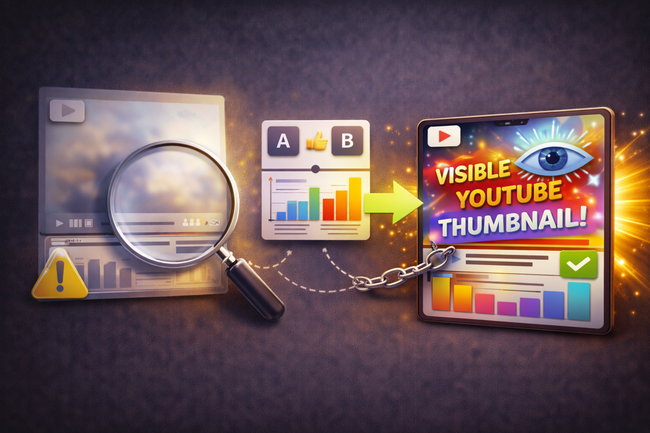
Illustration showing a blurred YouTube thumbnail being inspected with a magnifying glass, an A/B testing panel with performance charts in the center, and a bright, eye-catching thumbnail on the right with an eye icon and check mark, representing testing thumbnail visibility before publishing.
Vicki

Heading
Designing Thumbnails in a Vacuum

Body

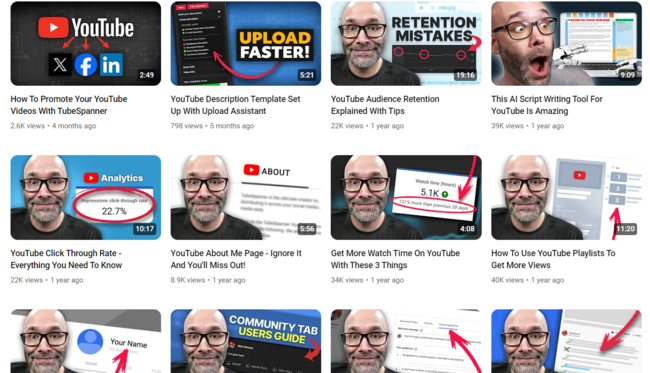
Here's the uncomfortable truth: most creators design thumbnails in a vacuum. They look great on a blank canvas in Canva or Photoshop. But YouTube isn't a blank canvas. It's a constant stream of content, and your thumbnail will always appear next to 8, 10, maybe 12 other thumbnails all competing for the same pair of eyes at the same moment.

If you never see your thumbnail in that context before publishing, you're essentially going in blind every single time.
Heading
The Problem Nobody Talks About: Thumbnail Blindness

Body

Think about how a viewer actually experiences YouTube. They open the app or browser and are immediately hit with a wall of thumbnails. Bold faces, bright colours, dramatic text, eye-catching moments. Every single one is screaming for attention.

In that environment, your thumbnail doesn't just need to look good. It needs to stand out against whatever else happens to be sitting next to it in that particular viewer's feed.

That's a completely different design challenge, and it's one you cannot solve by looking at your thumbnail alone.

Heading
Common Thumbnail Mistakes Creators Make

Bullets Multi

Common mistakes creators make because they skip this step:

  • Using a busy background that blends into a neighbouring thumbnail

  • Choosing a font colour that gets lost against YouTube's white or dark mode interface

  • Designing at the wrong scale, where text that looks clear on your monitor becomes illegible on a phone screen

  • Following a style that looked fresh six months ago but now looks exactly like every other channel in your niche

  • Creating something visually beautiful that still gets zero clicks because it lacks a clear focal point

None of these mistakes are obvious when you're designing. They only become obvious when your thumbnail is sitting inside YouTube, surrounded by the competition, usually after you've already uploaded and the damage is done.

Heading
How TubeSpanner's Thumbnail Injector Changes Everything

Body

This is where TubeSpanner's free browser extension does something that genuinely changes how you approach thumbnail design.

Using the TubeSpanner extension, you can inject your thumbnail directly into live YouTube search results and browse pages before you publish your video. You're not looking at a mockup, you're not guessing, you're seeing your actual thumbnail sitting inside REAL YouTube, surrounded by the real videos your audience is watching right now.

Heading
How the Preview Process Works

Body

It works like this:

  1. Design your thumbnail (more on that in a moment)

  2. Open YouTube and search for your topic or browse to where your audience hangs out

  3. Use the TubeSpanner browser extension to drop your thumbnail into the feed

  4. See instantly whether it pops, blends, or disappears

What you're left with is a completely honest answer to the question every creator should be asking: does this thumbnail make someone stop scrolling?

If the answer is yes, publish with confidence. If the answer is no, you've just saved yourself from another video that underperforms not because of the content, but because nobody clicked.

This is the kind of insight that used to require publishing, waiting for data, running an A/B test, and hoping. Now you can get it in two minutes before the video goes live.

Heading
But First, You Need a Thumbnail Worth Testing

Body

Here's where it gets even better. You don't need Photoshop, Canva, or any external design tool to create a scroll-stopping thumbnail. TubeSpanner comes with a built-in, free thumbnail maker that handles the whole process from idea to finished image inside the same platform.

The thumbnail editor is designed specifically for YouTube creators, which means it's built around the right dimensions, the right design logic, and the actual formats that work on the platform. No wrestling with export settings or aspect ratios.

Heading
What You Can Do With TubeSpanner's Free Thumbnail Maker

Body
  • Start from a template. 
    TubeSpanner includes a library of thumbnail templates across multiple niches, so you're not starting from a blank page every single time.

  • Edit everything to match your brand. 
    Swap colours, fonts, images, and text to make any template your own.

  • Use the image library. 
    Access a library of assets without hunting through stock photo sites.

  • Remove backgrounds instantly. 
    No Photoshop required. Remove the background from any photo with a single click.

  • Add text, overlays, and graphics. 
    The editor is intuitive and similar to working in Photoshop, without the steep learning curve.

  • Design thumbnails for every format. 
    Not just YouTube. The tool includes templates for banners, social posts, and more.

Once your thumbnail is ready, you can inject it straight into YouTube via the browser extension to test it, and when you're happy, insert it directly into your video from within TubeSpanner. The entire workflow, from creation to testing to publishing, happens inside one tool.

Heading
Why This Matters More in 2026

Body

YouTube's algorithm has shifted in meaningful ways over the last couple of years. Viewer satisfaction matters, and one signal of that is Click-through and watchtime. YouTube uses ICTR (impressions click through rater) and AVD (average view duration) to decide whether to push your video to new audiences. The platform is explicitly rewarding creators who keep viewers watching, they’re satisfied, etc. However, you can't get anyone watching until you get them clicking.

The creators who win on YouTube are the ones who are methodical about this, treating every thumbnail as a hypothesis to test rather than a box to tick.

TubeSpanner's combination of a free thumbnail maker and a live preview injector removes two of the biggest barriers to doing this well:

The cost and complexity of professional design tools
The guesswork of not knowing how your thumbnail will perform in the wild

You don't need to be a designer. You don't need to wait for post-publish data. You just need the right tool.

Title
Start Testing Your Thumbnails Before You Publish
Body

If you're not already using TubeSpanner, you can sign up for free at tubespanner.com, with no credit card required. The thumbnail maker and browser extension are available to get started with immediately, and a guided tour will walk you through the full platform so you can hit the ground running.

For creators who are serious about growing their channel, it's one of those tools you'll wonder how you managed without.

The next video you publish should be the last one you ever release with an untested thumbnail. Start there.

Want to go deeper? Explore how TubeSpanner's full suite of 50+ tools helps you plan, create, and promote your YouTube content all from one place.