
The POP Flow: One Workflow From Idea to Published

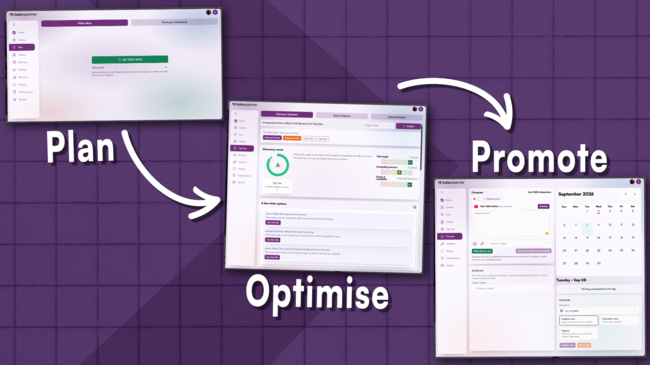
Plan it. Optimise it. Promote it. All without leaving TubeSpanner.

Most creators use separate tools, tabs, and habits for each stage of putting out a video. One place for ideas, another for titles, another for social posts. TubeSpanner puts all three stages in one flow: Plan, Optimise, Promote. Here's how POP works, start to finish.

TubeSpanner Pop Flow
Ike

Heading
P is for Plan

Body

Before every creator create a video, they all start with the same question: What should I make next?

TubeSpanner's Plan tab answers it two ways.
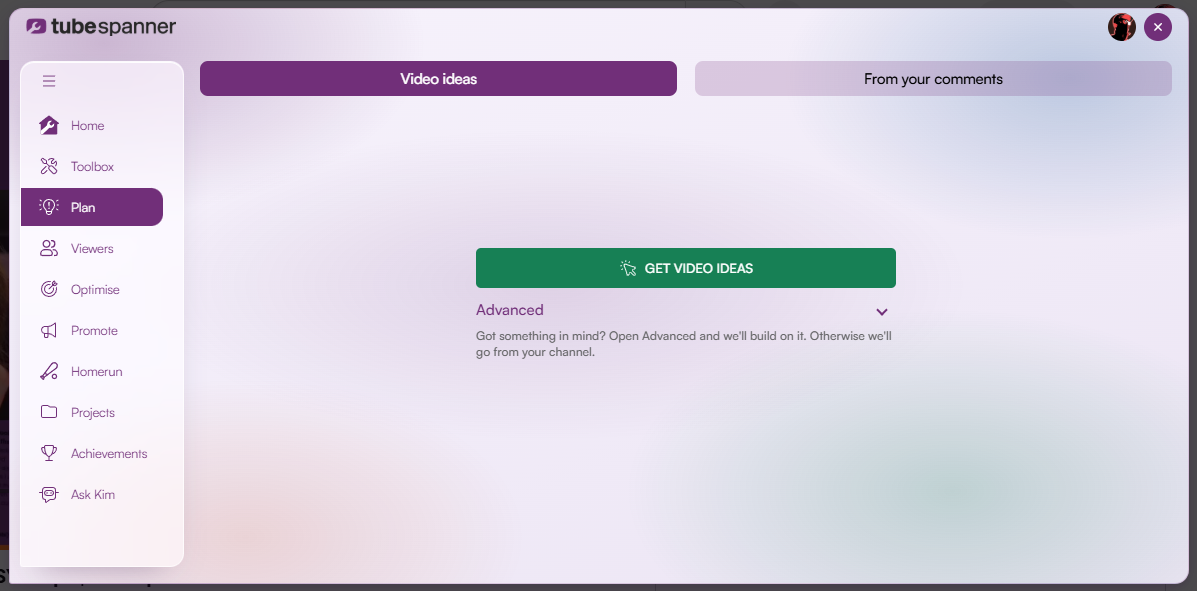
Video Ideas generate concepts based on your channel data, so you'll never get generic ideas. When you click on "Get Video Ideas", you'll get 10 ideas that you can save for later or choose to refine.

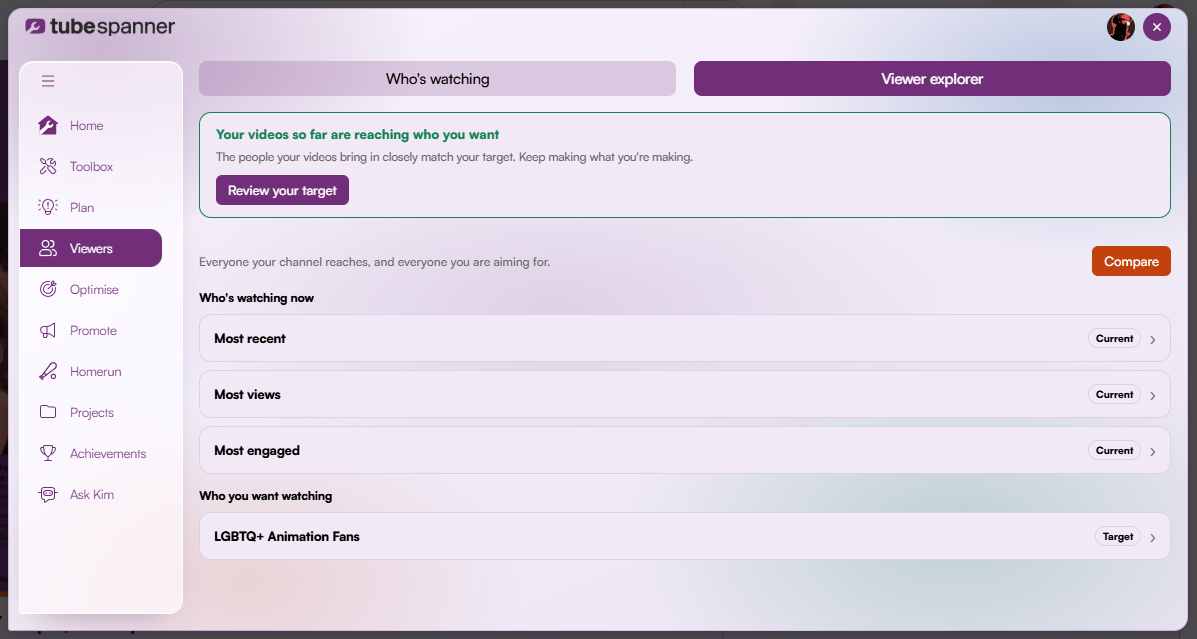
This feature works in tandem with TubeSpanner's Audience Avatar. which looks at your Most recent, Most Watched, and Most Engaged viewers.
Free plans get 30 video ideas a month. Core gets 250 video ideas a month, and Pro gets unlimited video ideas.

From your comments does the same thing, but pulls its starting point from what your audience is already asking for in your comment section.
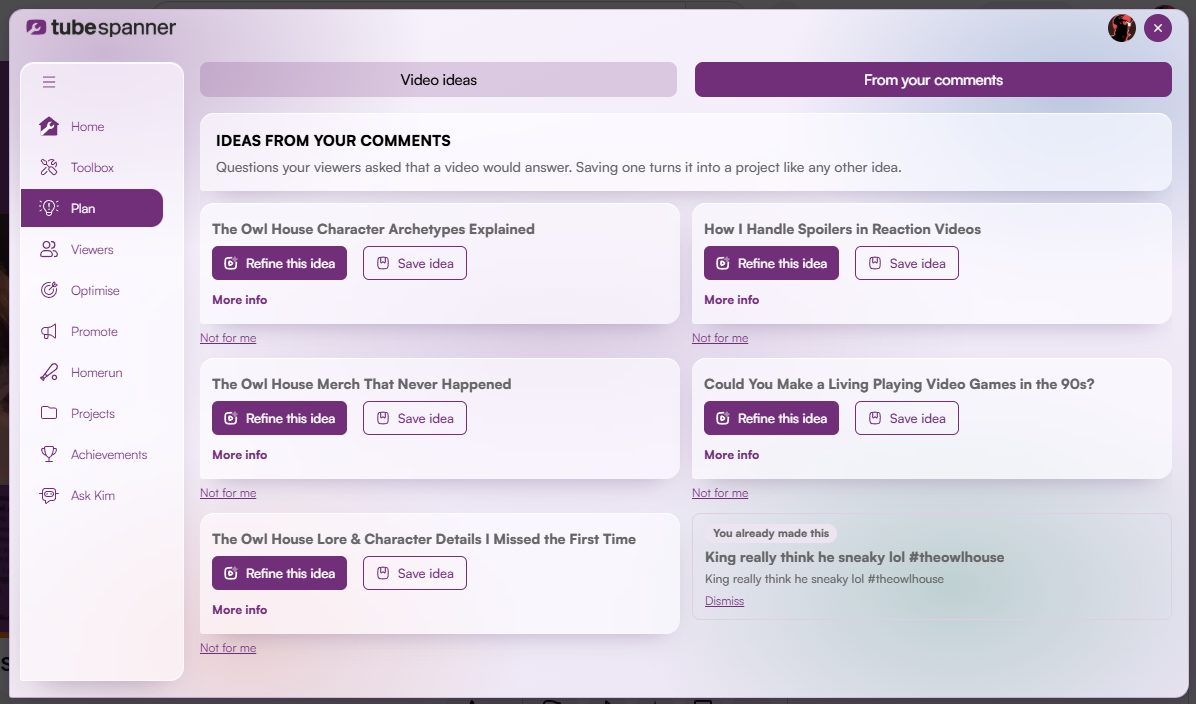
Each idea comes with a draft title and a way to refine it further. You can also click on "More Info" to get a brief of what the video is about and the method of how to go about it.

Don't think these ideas are for you? Click on "Not for me" and TubeSpanner will adjust to your preference.
Heading
O is for Optimise

Body

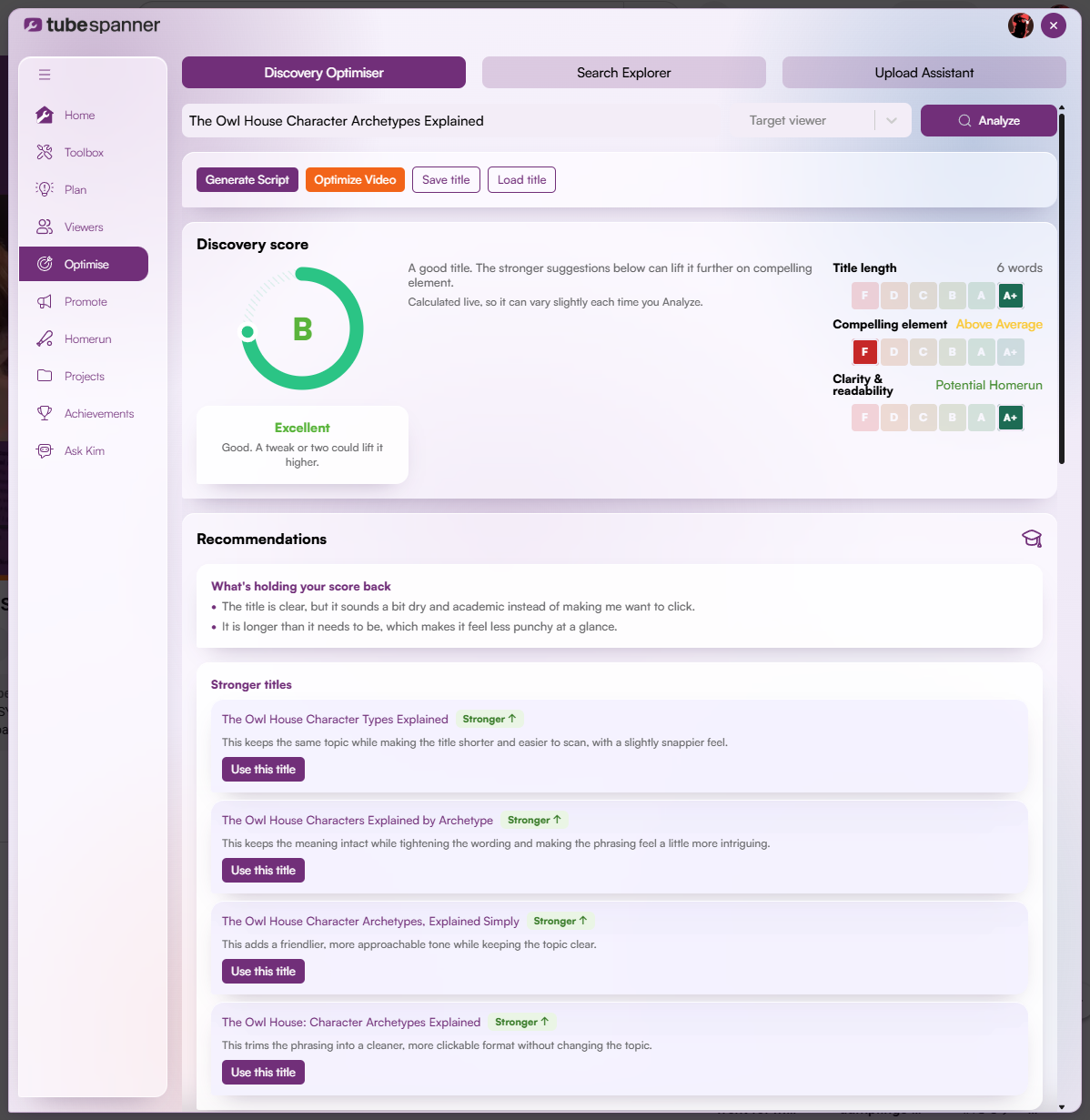
Once you've got a video idea and title, Optimise is where you stress-test it before it goes anywhere near an upload.

Discovery Optimiser scores how a title performs in browse and suggestions, where a video is competing with dozens of others for a split-second glance. It breaks the score down into title length, compelling element, and clarity & readability, and offers stronger alternatives if the score has room to improve.

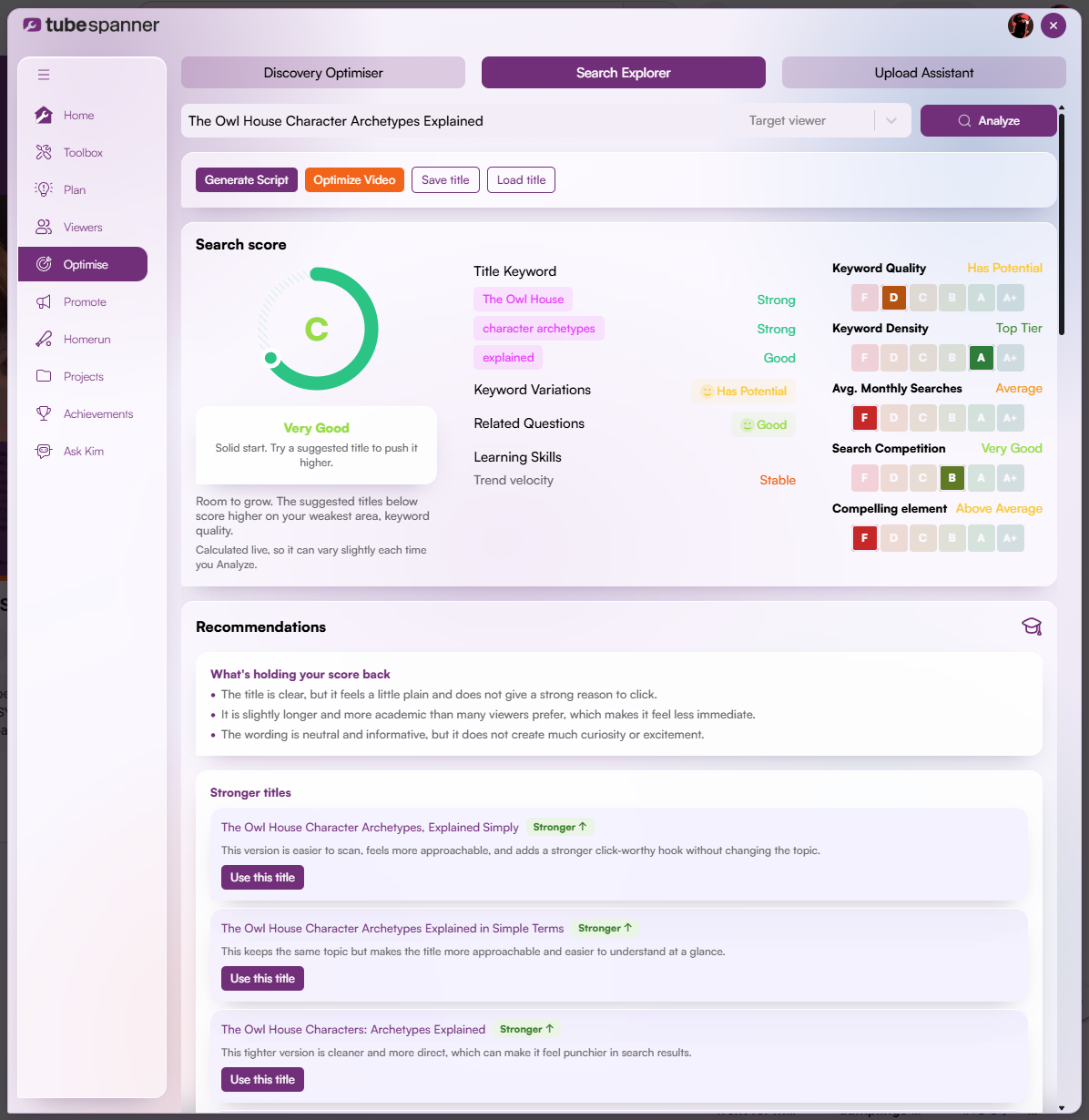
Search Explorer asks a different question. Is this worth targeting for search?

It looks at the average monthly searches and search competition to help you decide whether a title is worth optimising for search intent, or whether it's better suited to discovery instead.

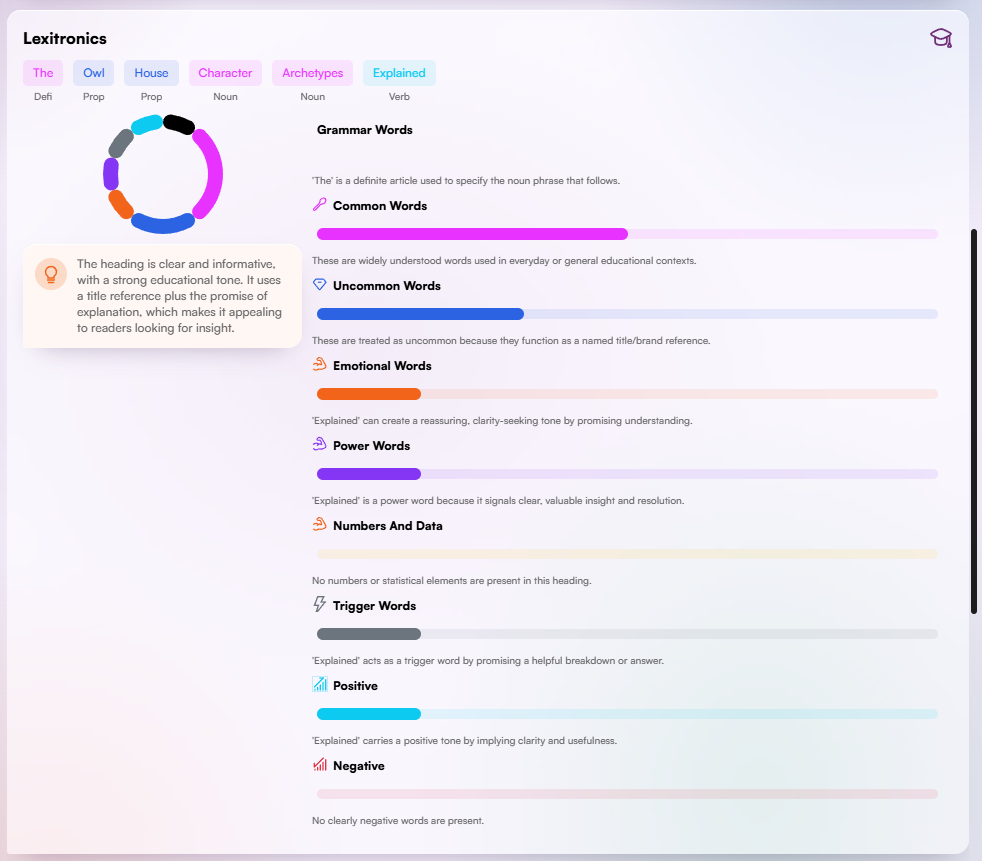
Both the Discovery Optimiser and Search Explorer have the Lexitronics, a powerful tool that tells you exactly what words are emotional words, power words, trigger words, what are positive and negative, and more.

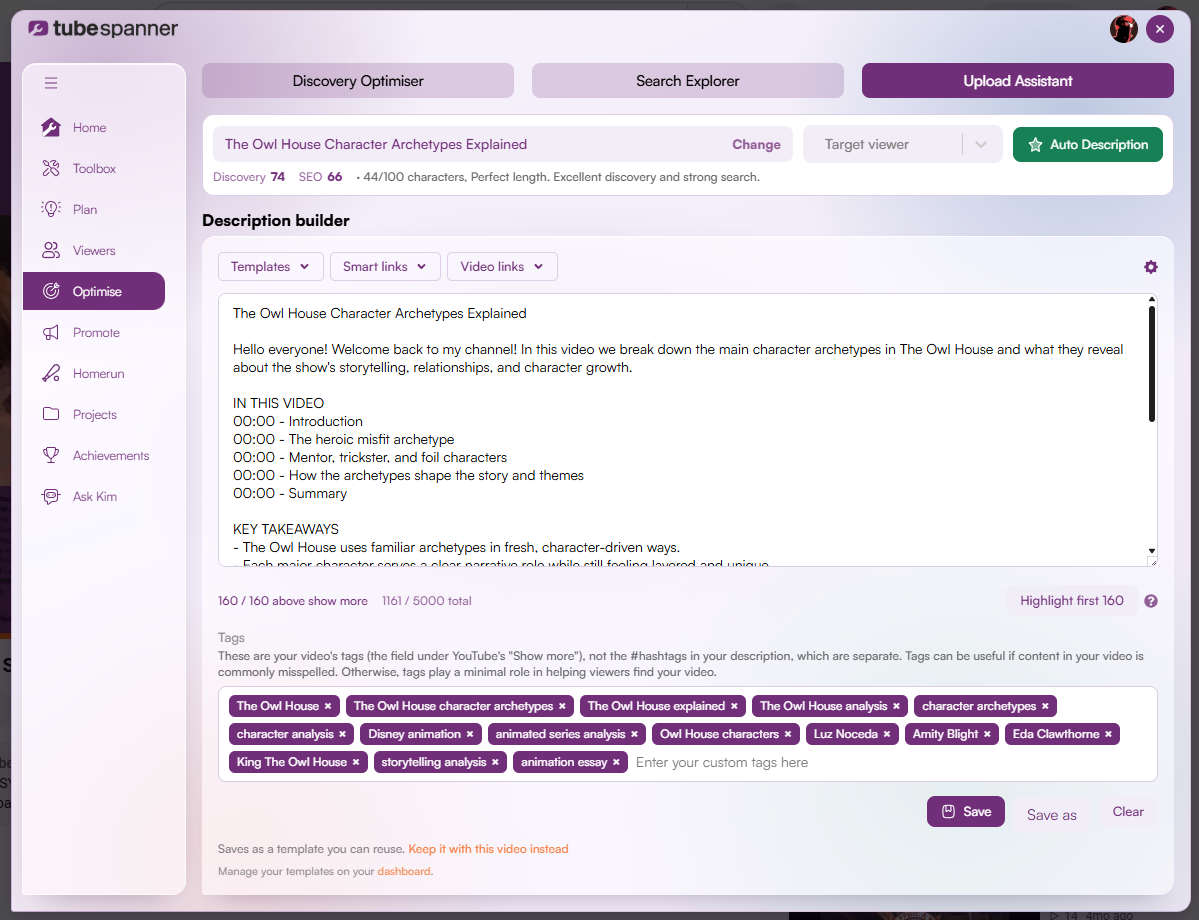
Upload Assistant is the last stop. You bring your prepared title here and TubeSpanner can automatically generate a description with the "Auto Description" button. You'll get a description made based on YouTube's own recommendations, along with appropriate tags for the video.

You can always change the description to make it truly yours. Within the Upload Assistant, you also have the option for "Video links" which are all the videos on your channel, so you'll never have to click to another tab to find the links. If you've edited your Smart links in the TubeSpanner Dashboard.

Note

Image
Note

Title
Discovery Optimiser and SEO Optimiser aren't interchangeable.

Body

If people would actively search for the topic, start with SEO Optimiser. If the idea relies on curiosity or context to work, Discovery Optimiser is the better fit.

Heading
P is for Promote

Body

Publishing the video isn't the end of your workflow. You shouldn't make the video public and leave it at that. Telling people your video exists is its own step, and it's the one that gets skipped most often.

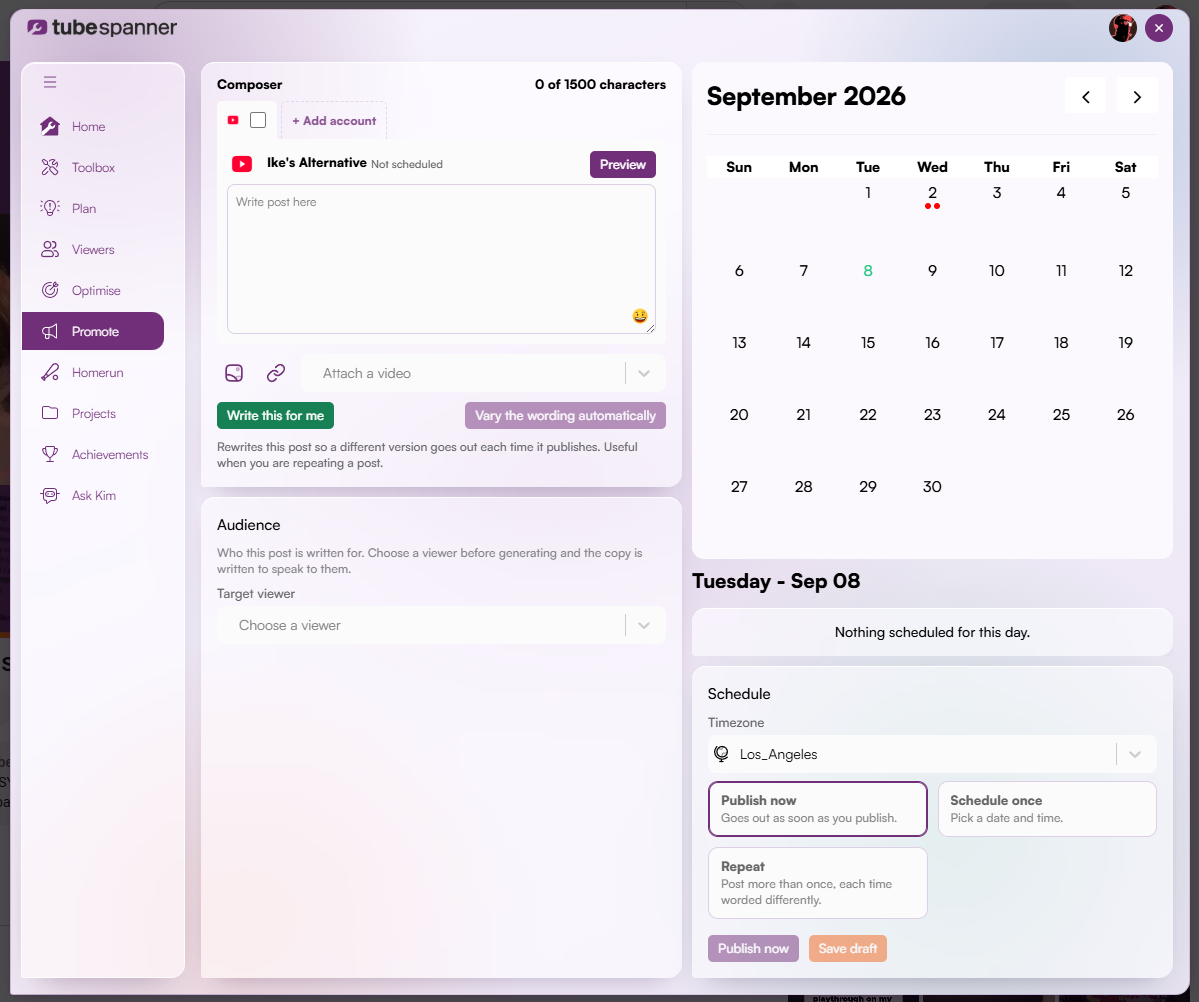
The Social Media Planner (found under Promote) lets you write a post once and send it to every connected platform from a single composer. Attach the video directly from the dropdown instead of hunting for the link, choose a target viewer so the copy speaks to a specific audience, and decide how it goes out:

  • Publish now
  • Schedule once
  • Repeat with automatic wording variation so a recurring post doesn't read the same way twice

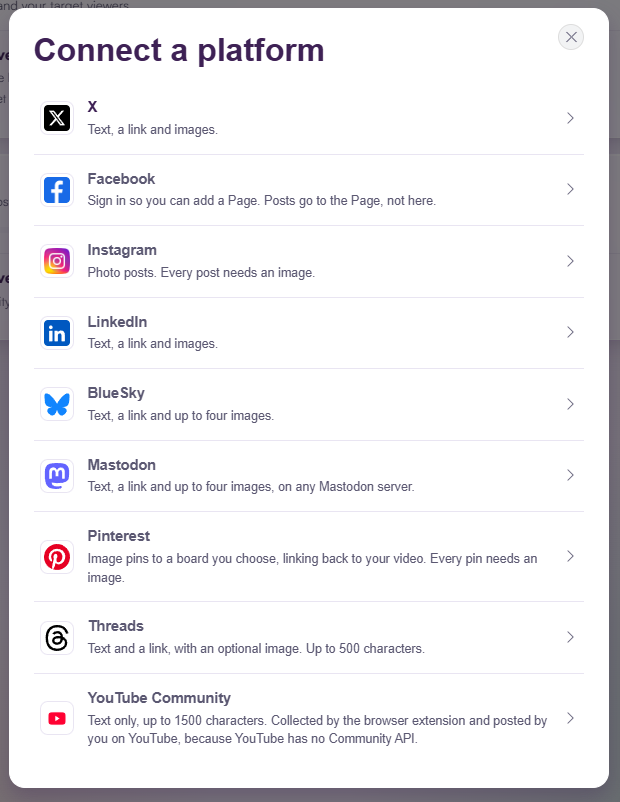
Currently, you can connect to X, Facebook, Instagram, LinkedIn, BlueSky, Mastodon, Pinterest, Threads, and YouTube Community. TubeSpanner is always looking to expand to more platforms, so if you have any suggestions, feel free to send it in the Discord server.

Title
Ready to run your next video through the POP Flow?
Body

Plan, Optimise, and Promote. All from the same dashboard, without switching tools between stages.


Heading
Why the order matters

Body

There are plenty of other tools out there that does the same job as TubeSpanner, but they're often disconnected from one another. You'd have to open multiple tabs or multiple tools at the same time, when you could just go through the POP Flow in one go.

Plan gives Optimise something worth scoring. Optimise gives Promote something worth sharing.