
Your current audience and your target audience aren't always the same thing
Your channel attracts viewers based on the content you've published so far. That audience reflects your history, not necessarily your goal. Before you can grow in the right direction, you need to know where you currently stand.
Ike
Share this on :
Heading
YouTube Learns Your Channel From What You Publish
Body
When you first start on YouTube, think of your channel as an empty shop. You’ve got the space, but nothing inside currently. This is how YouTube (and viewers) see your channel.
You need to fill out this space.
Your channel banner and title will be the sign outside your shop. As you publish videos, your shelves and product tables will be filled out.
The more videos you publish, the better YouTube can understand what your channel is about and know what kind of viewers to send your way.
YouTube does its job. The question is whether its answer matches your intention.
Heading
Analyze Your Current Viewers With Audience Avatars
Body
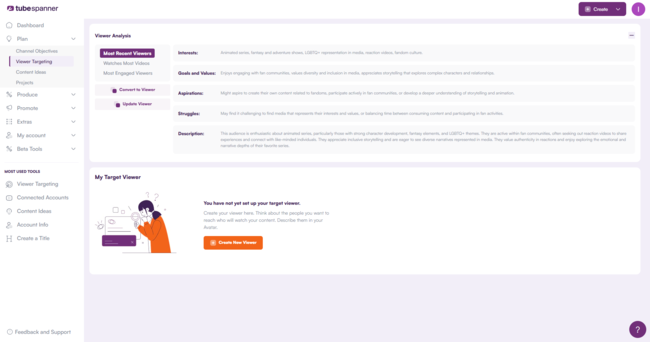
TubeSpanner’s Audience Avatars taps into your YouTube data and gives you a breakdown of your current audiences across three viewer segments:
Most Recent Viewers
Watches Most Videos
Most Engaged Viewers
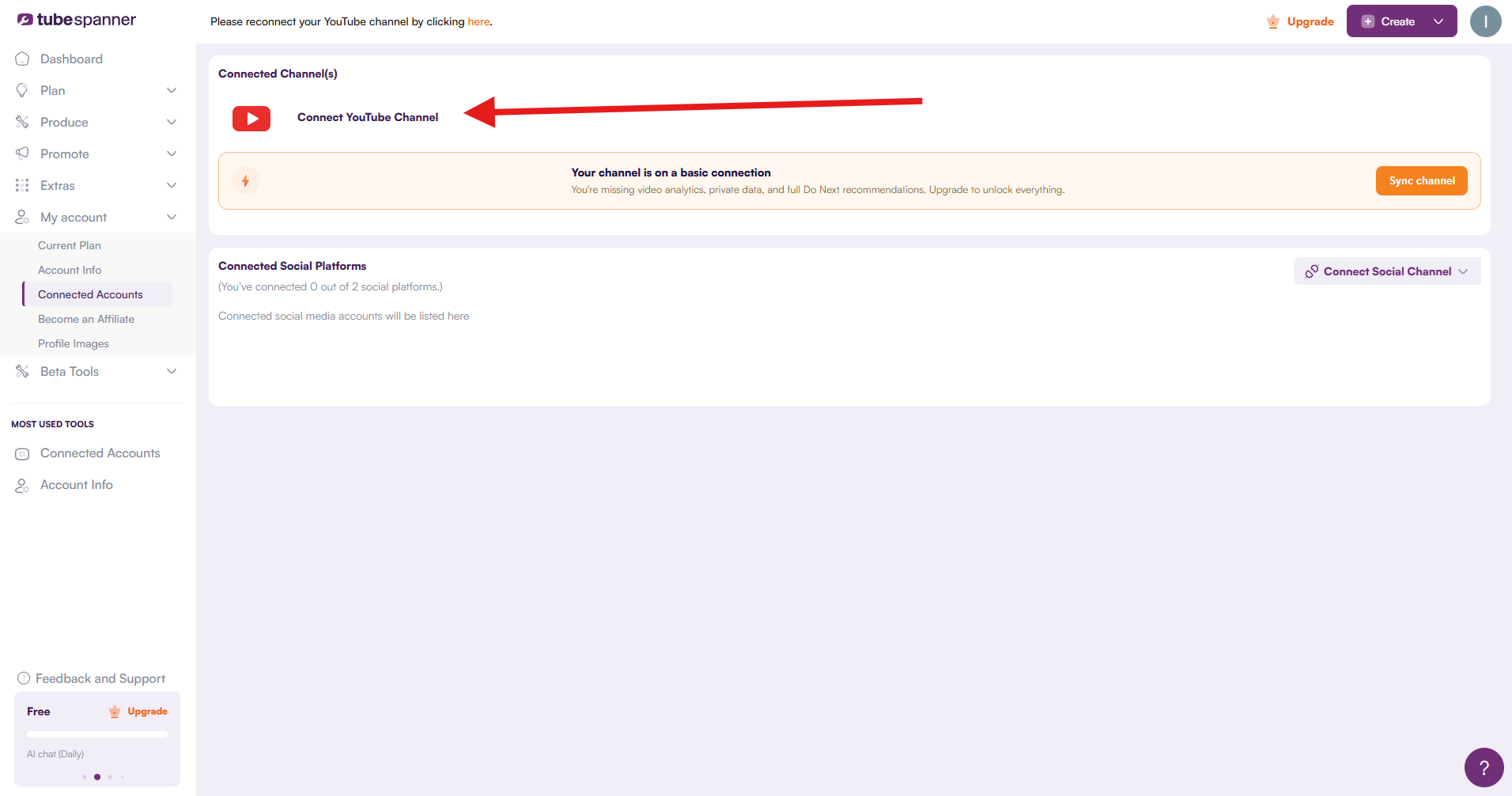
To do this, you’ll first need to log into your TubeSpanner dashboard and connect your YouTube channel to TubeSpanner.
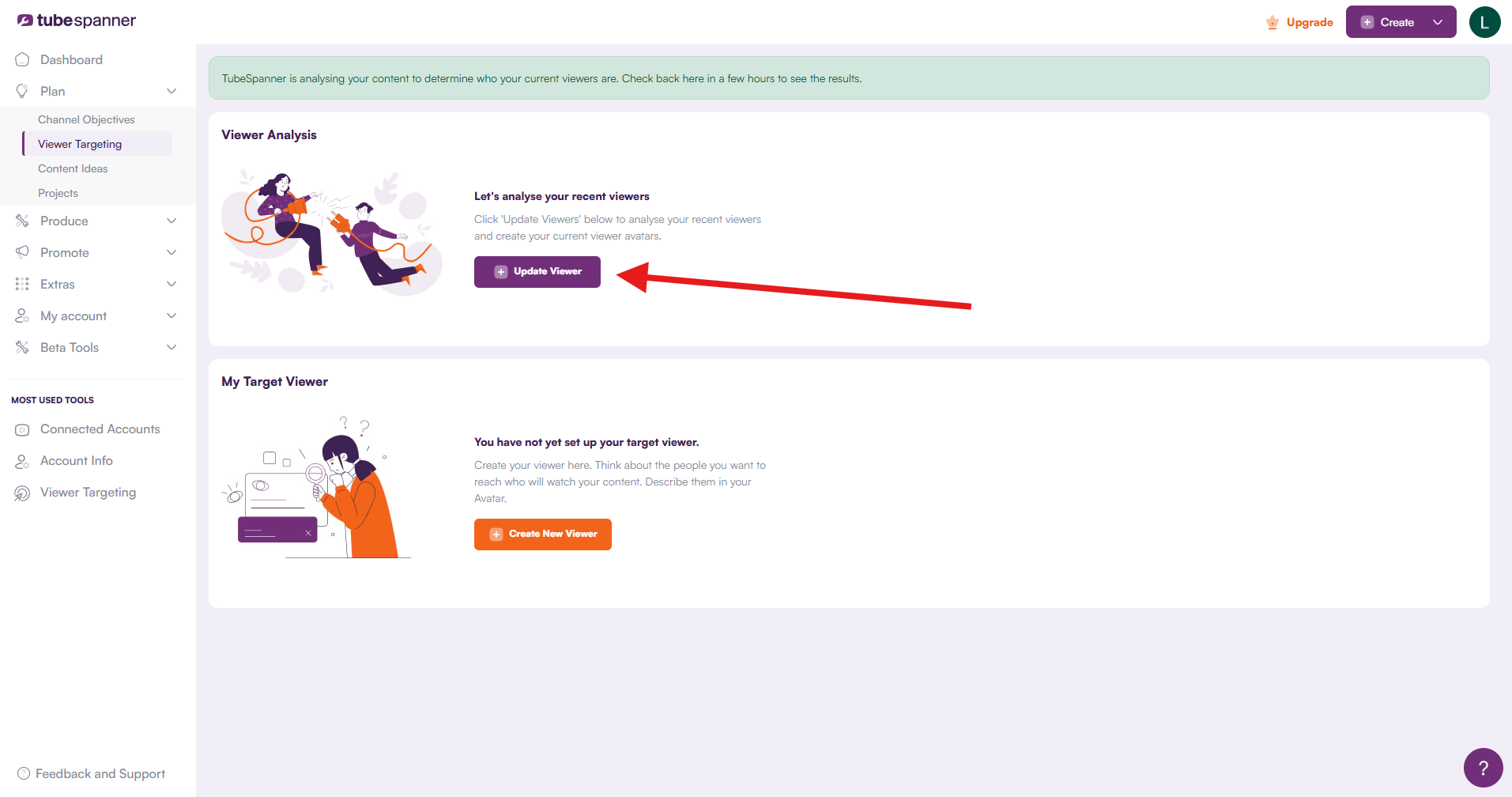
Then head over to Plan > Viewer Targeting and under the Viewer Analysis box, click on “Update Viewer.” TubeSpanner will analyze your content to determine who your current viewers are. Results can take a few hours to generate.
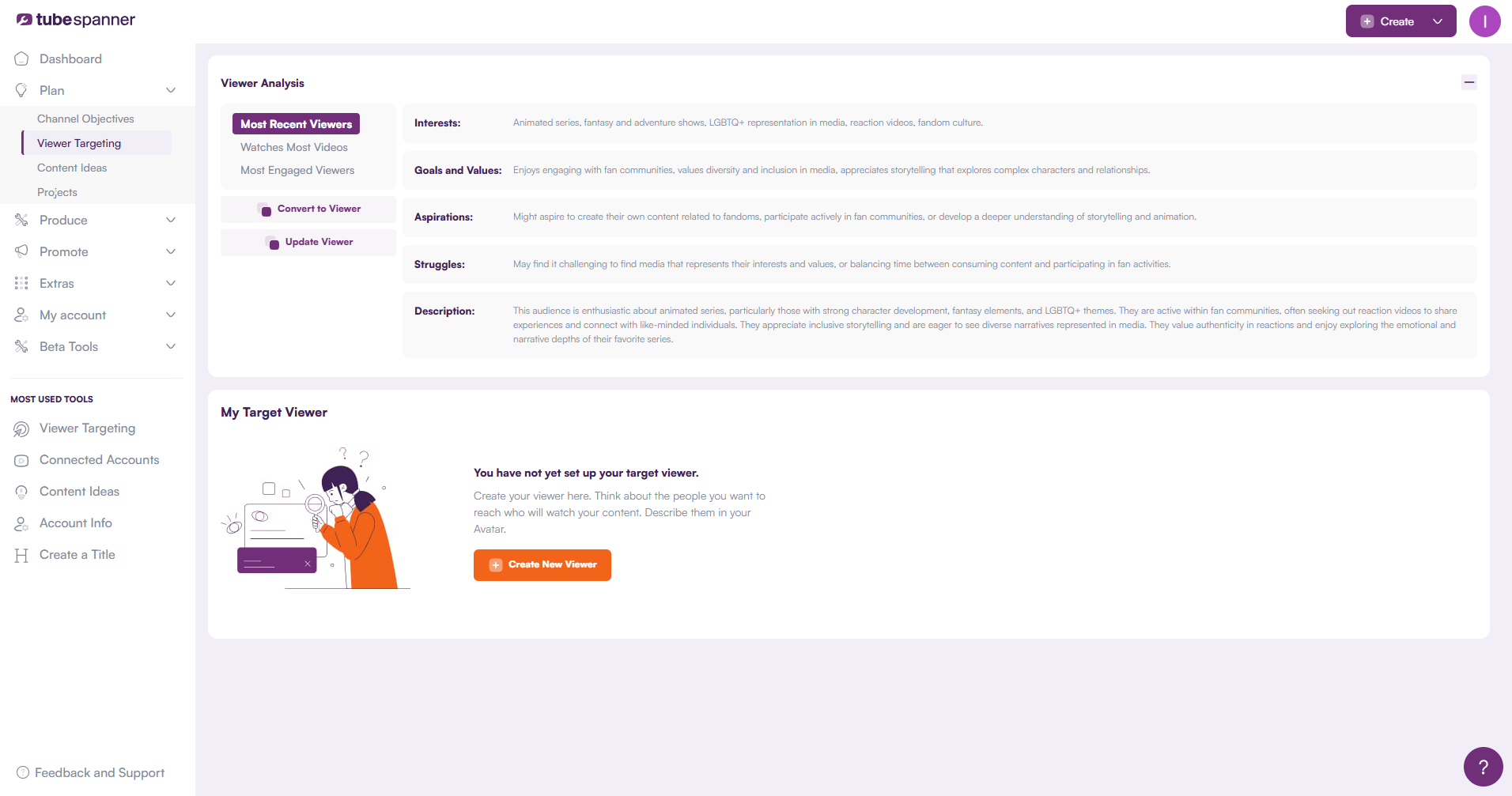
When the analysis is complete, you’ll see your viewer’s interests, goals and values, aspirations, struggles, and description.
Does this match your audience? If it matches, you're in good shape.
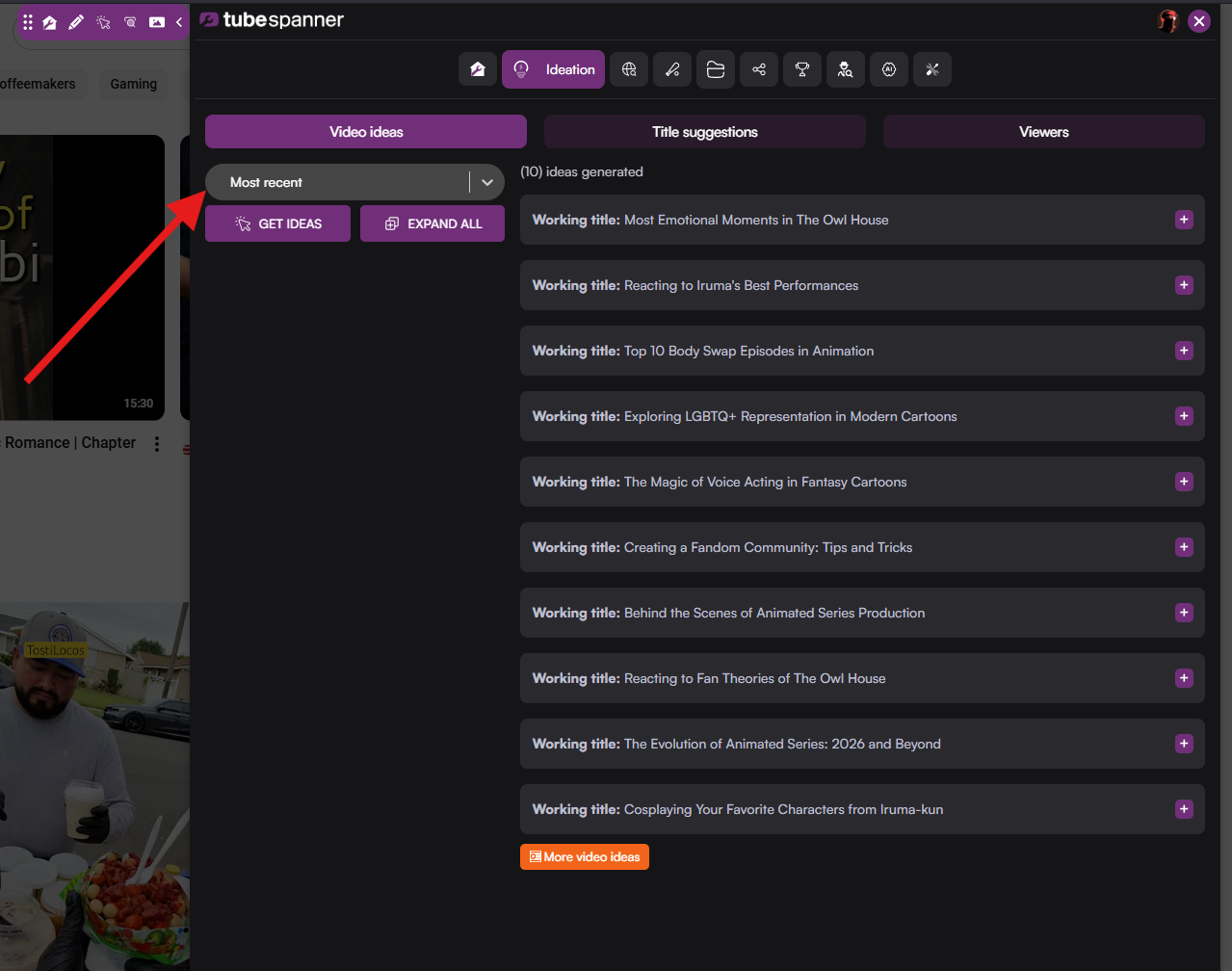
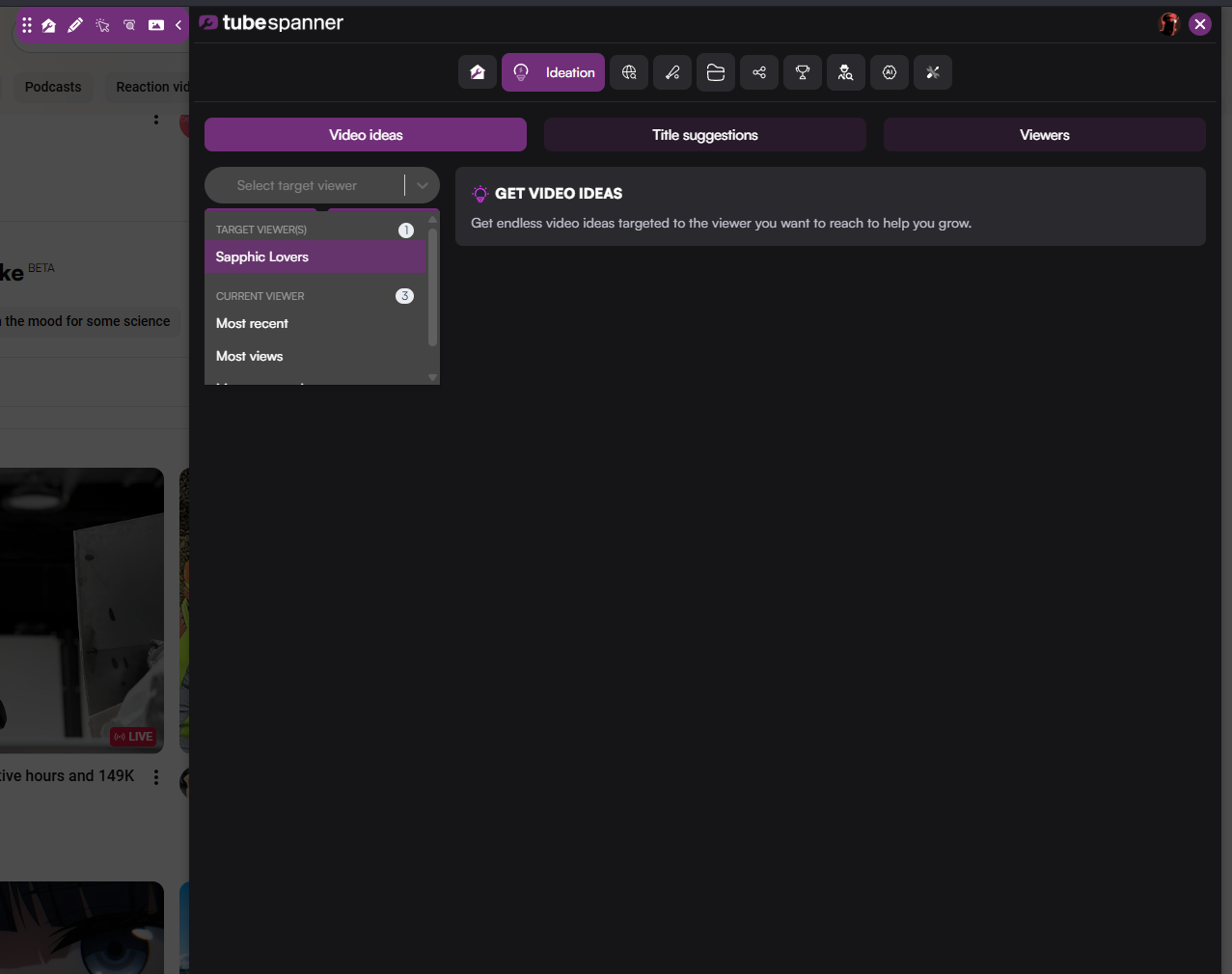
From here, TubeSpanner’s Ideation and Discover tools (both tools are available on the browser extension and dashboard) will work with your audience in mind.
Want to see how Ideation and Discover use this data? Here's how the full workflow comes together.
TubeSpanner's Audience Avatar is free for your current viewers, but you'd need Pro or Core if you want to tap into your target viewer. However, you can try Pro or Core with a 30-day free trial.
Heading
What if your current audience isn’t what you intended?
Body
Maybe you wanted to reach people learning guitar but you're attracting casual music fans who would never pick up an instrument.
Then, you’d need to create your Target Viewer.
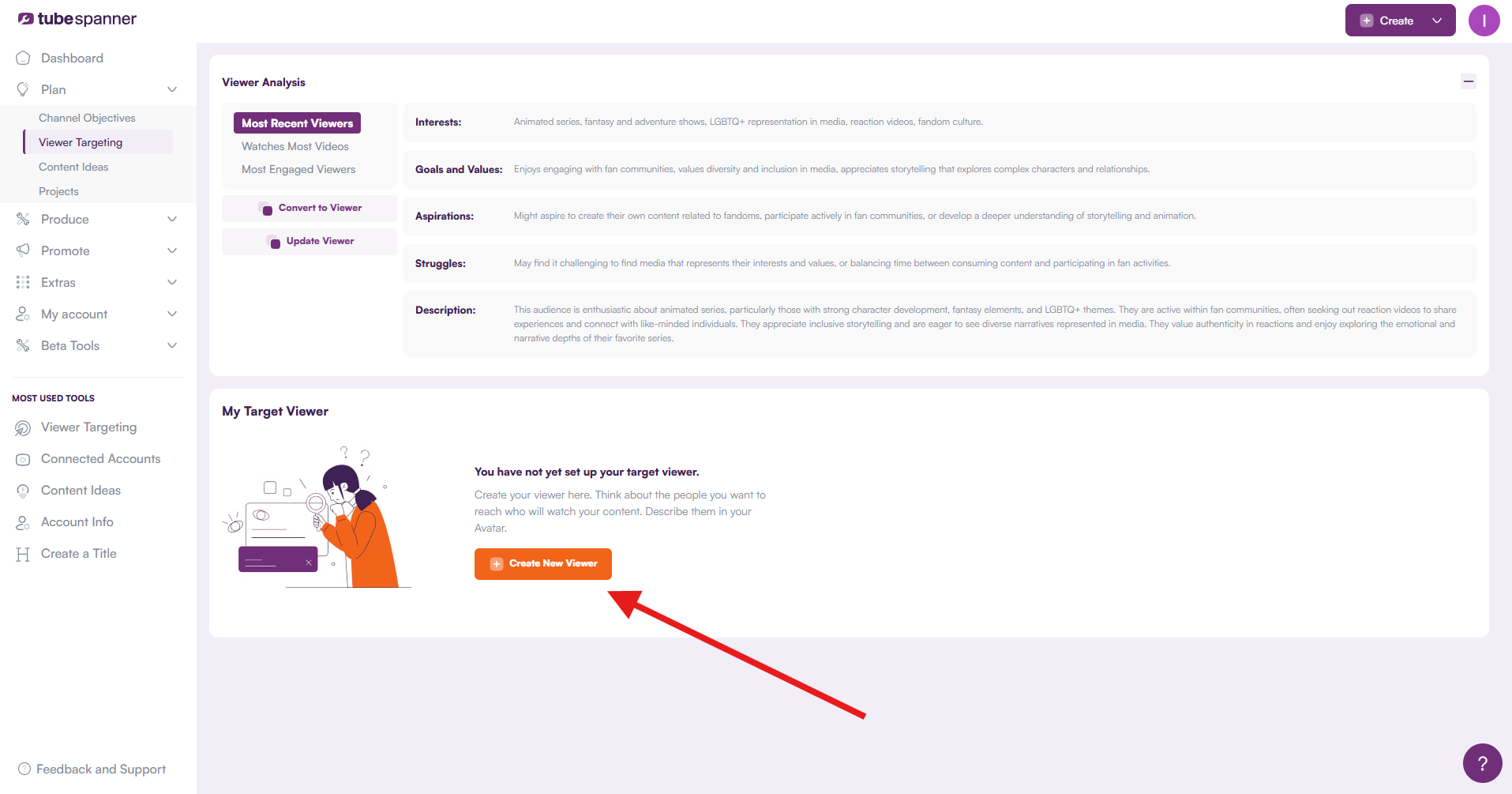
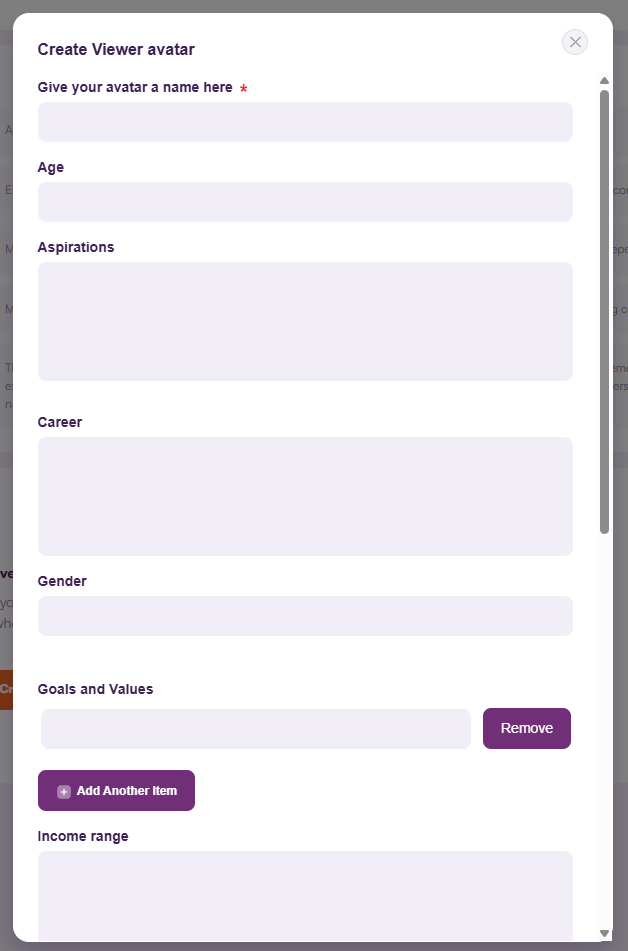
Click on “Create New Viewer” under the My Target Viewer box.
A pop-up will appear. Fill in the details about who you want to reach. Don't worry about getting it perfect. You can add more later. Hit "Create Viewer" when you're ready.
Now, whenever you want to come up with video ideas or fine-tune your titles, you can choose to generate ideas and write titles with your target viewer in mind.
Your audience is always a work in progress. The most important thing is this: you now know where you stand and where you're headed.
Title
Know Your Audience. Grow With Purpose.
Body
TubeSpanner's Audience Avatars are built to work with every other tools. It's free to install. Free to start.